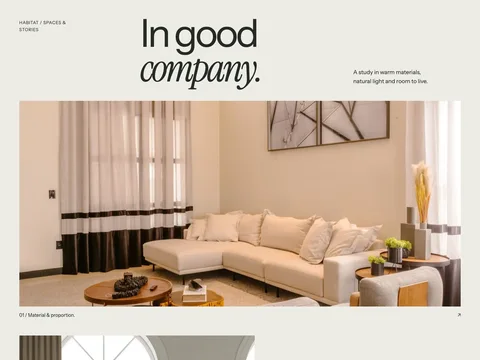
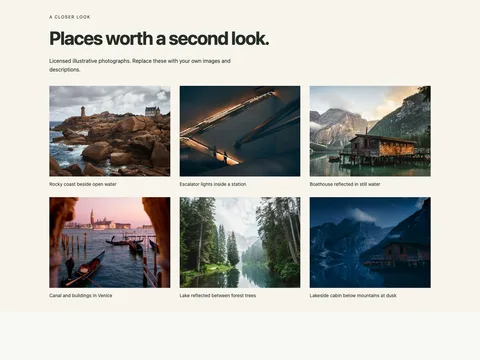
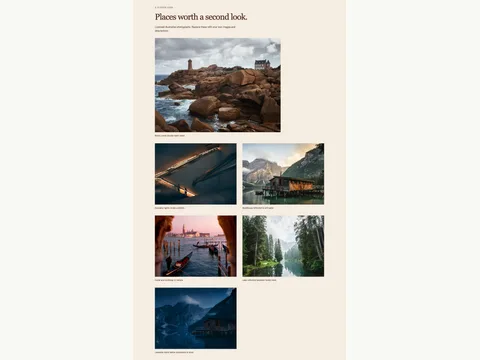
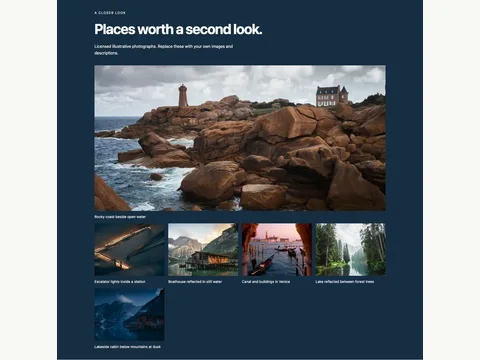
(()=>{for(const root of document.querySelectorAll('[data-snippet="photography-contact-sheet"]')){if(root.dataset.initialized)continue;root.dataset.initialized='true';const pictures=[{"src":"images/coast.webp","caption":"Rocky coast beside open water"},{"src":"images/passage.webp","caption":"Escalator lights inside a station"},{"src":"images/boathouse.webp","caption":"Boathouse reflected in still water"},{"src":"images/venice.webp","caption":"Canal and buildings in Venice"},{"src":"images/forest.webp","caption":"Lake reflected between forest trees"},{"src":"images/blue-hour.webp","caption":"Lakeside cabin below mountains at dusk"}];const dialog=root.querySelector('dialog');let current=0,last=null;const show=i=>{current=(i+pictures.length)%pictures.length;const p=pictures[current],img=dialog.querySelector('img');img.src=p.src;img.alt=p.caption;dialog.querySelector('figcaption').textContent=p.caption;root.querySelector('[data-image-count]').textContent=(current+1)+' / '+pictures.length;};root.addEventListener('click',e=>{const a=e.target.closest('[data-gallery-index]');if(a&&!e.ctrlKey&&!e.metaKey&&typeof dialog.showModal==='function'){e.preventDefault();last=a;show(Number(a.dataset.galleryIndex));dialog.showModal();}});dialog.querySelector('[data-close]').addEventListener('click',()=>dialog.close());dialog.addEventListener('close',()=>last?.focus());dialog.querySelector('[data-prev]').addEventListener('click',()=>show(current-1));dialog.querySelector('[data-next]').addEventListener('click',()=>show(current+1));dialog.addEventListener('keydown',e=>{if(e.key==='ArrowRight'){e.preventDefault();show(current+1);}if(e.key==='ArrowLeft'){e.preventDefault();show(current-1);}});for(const btn of root.querySelectorAll('[data-image-choice]'))btn.addEventListener('click',()=>{const i=Number(btn.dataset.imageChoice),p=pictures[i],main=root.querySelector('.s-product-main'),img=main.querySelector('img');img.src=p.src;img.alt=p.caption;main.querySelector('a').href=p.src;main.querySelector('a').dataset.galleryIndex=i;main.querySelector('figcaption').textContent=p.caption;root.querySelectorAll('[data-image-choice]').forEach(b=>b.setAttribute('aria-pressed',String(b===btn)));});}})();
---
// Generated, escaped static markup. Use a distinct prefix for each instance.
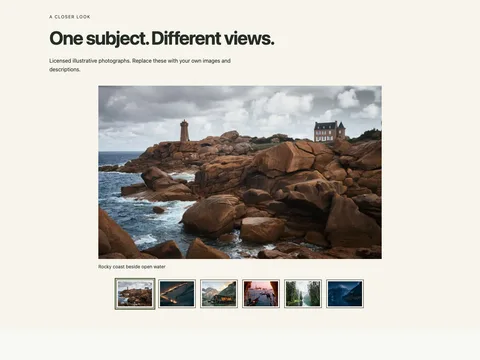
const markup = "\u003csection class=\"fct-photography-contact-sheet s-gallery-section s-contact-sheet\" data-snippet=\"photography-contact-sheet\" aria-labelledby=\"fct-photography-contact-sheet-heading\"\u003e\u003cdiv class=\"s-wrap\"\u003e\u003cp class=\"s-kicker\"\u003eA closer look\u003c/p\u003e\u003ch2 id=\"fct-photography-contact-sheet-heading\"\u003eBetween places / 01–06\u003c/h2\u003e\u003cp class=\"s-gallery-intro\"\u003eLicensed illustrative photographs. Replace these with your own images and descriptions.\u003c/p\u003e\u003cdiv class=\"s-gallery\"\u003e\u003cfigure class=\"\"\u003e\u003ca href=\"/snippet-assets/photography-contact-sheet/images/coast.webp\" data-gallery-index=\"0\"\u003e\u003cimg src=\"/snippet-assets/photography-contact-sheet/images/coast.webp\" alt=\"Rocky coast beside open water\" width=\"800\" height=\"600\" loading=\"eager\" decoding=\"async\"\u003e\u003c/a\u003e\u003cfigcaption\u003e01 / Rocky coast beside open water\u003c/figcaption\u003e\u003c/figure\u003e\u003cfigure class=\"\"\u003e\u003ca href=\"/snippet-assets/photography-contact-sheet/images/passage.webp\" data-gallery-index=\"1\"\u003e\u003cimg src=\"/snippet-assets/photography-contact-sheet/images/passage.webp\" alt=\"Escalator lights inside a station\" width=\"800\" height=\"600\" loading=\"lazy\" decoding=\"async\"\u003e\u003c/a\u003e\u003cfigcaption\u003e02 / Escalator lights inside a station\u003c/figcaption\u003e\u003c/figure\u003e\u003cfigure class=\"\"\u003e\u003ca href=\"/snippet-assets/photography-contact-sheet/images/boathouse.webp\" data-gallery-index=\"2\"\u003e\u003cimg src=\"/snippet-assets/photography-contact-sheet/images/boathouse.webp\" alt=\"Boathouse reflected in still water\" width=\"800\" height=\"600\" loading=\"lazy\" decoding=\"async\"\u003e\u003c/a\u003e\u003cfigcaption\u003e03 / Boathouse reflected in still water\u003c/figcaption\u003e\u003c/figure\u003e\u003cfigure class=\"\"\u003e\u003ca href=\"/snippet-assets/photography-contact-sheet/images/venice.webp\" data-gallery-index=\"3\"\u003e\u003cimg src=\"/snippet-assets/photography-contact-sheet/images/venice.webp\" alt=\"Canal and buildings in Venice\" width=\"800\" height=\"600\" loading=\"lazy\" decoding=\"async\"\u003e\u003c/a\u003e\u003cfigcaption\u003e04 / Canal and buildings in Venice\u003c/figcaption\u003e\u003c/figure\u003e\u003cfigure class=\"\"\u003e\u003ca href=\"/snippet-assets/photography-contact-sheet/images/forest.webp\" data-gallery-index=\"4\"\u003e\u003cimg src=\"/snippet-assets/photography-contact-sheet/images/forest.webp\" alt=\"Lake reflected between forest trees\" width=\"800\" height=\"600\" loading=\"lazy\" decoding=\"async\"\u003e\u003c/a\u003e\u003cfigcaption\u003e05 / Lake reflected between forest trees\u003c/figcaption\u003e\u003c/figure\u003e\u003cfigure class=\"\"\u003e\u003ca href=\"/snippet-assets/photography-contact-sheet/images/blue-hour.webp\" data-gallery-index=\"5\"\u003e\u003cimg src=\"/snippet-assets/photography-contact-sheet/images/blue-hour.webp\" alt=\"Lakeside cabin below mountains at dusk\" width=\"800\" height=\"600\" loading=\"lazy\" decoding=\"async\"\u003e\u003c/a\u003e\u003cfigcaption\u003e06 / Lakeside cabin below mountains at dusk\u003c/figcaption\u003e\u003c/figure\u003e\u003c/div\u003e\u003cdialog aria-label=\"Enlarged image\" class=\"s-lightbox\"\u003e\u003cbutton type=\"button\" data-close\u003eClose\u003c/button\u003e\u003cfigure\u003e\u003cimg alt=\"\" width=\"800\" height=\"600\"\u003e\u003cfigcaption\u003e\u003c/figcaption\u003e\u003c/figure\u003e\u003cdiv class=\"s-lightbox-controls\"\u003e\u003cbutton type=\"button\" data-prev\u003ePrevious\u003c/button\u003e\u003cspan role=\"status\" data-image-count\u003e\u003c/span\u003e\u003cbutton type=\"button\" data-next\u003eNext\u003c/button\u003e\u003c/div\u003e\u003c/dialog\u003e\u003c/div\u003e\u003c/section\u003e";
---
<Fragment set:html={markup} />
<style is:global>
.fct-photography-contact-sheet{--s-bg:#202620;--s-ink:#ffffff;--s-accent:#d8e7bb;font:16px/1.65 system-ui,sans-serif;color:var(--s-ink);background:var(--s-bg)}.fct-photography-contact-sheet,.fct-photography-contact-sheet *{box-sizing:border-box}.fct-photography-contact-sheet :is(h2,h3,p,ul,figure){margin:0}.fct-photography-contact-sheet h2,.fct-photography-contact-sheet h3{line-height:1.2;letter-spacing:-.035em}.fct-photography-contact-sheet h2{font-size:clamp(1.8rem,4vw,3.5rem)}.fct-photography-contact-sheet a{color:inherit;text-underline-offset:5px;overflow-wrap:anywhere}.fct-photography-contact-sheet :is(a,button,input,textarea,select,summary):focus-visible{outline:3px solid var(--s-accent);outline-offset:4px}.fct-photography-contact-sheet button,.fct-photography-contact-sheet input,.fct-photography-contact-sheet textarea,.fct-photography-contact-sheet select{font:inherit}.fct-photography-contact-sheet a,.fct-photography-contact-sheet button{touch-action:manipulation}.fct-photography-contact-sheet .s-wrap{max-width:1200px;margin-inline:auto;padding:40px 28px}.fct-photography-contact-sheet .s-kicker{font-size:.8125rem;letter-spacing:.13em;text-transform:uppercase;margin-bottom:18px}.fct-photography-contact-sheet .s-button{display:inline-flex;align-items:center;justify-content:center;min-height:46px;padding:11px 21px;border:1px solid currentColor;text-decoration:none;background:transparent;color:inherit;cursor:pointer;border-radius:2px;font-weight:600}.fct-photography-contact-sheet .s-muted{opacity:.82}.fct-photography-contact-sheet .s-links{display:flex;gap:8px 26px;flex-wrap:wrap}.fct-photography-contact-sheet .s-links a{display:inline-flex;align-items:center;min-height:44px}.fct-photography-contact-sheet .s-rule{border-top:1px solid currentColor;padding-top:20px;margin-top:30px}.fct-photography-contact-sheet .s-grid{display:grid;gap:28px;grid-template-columns:repeat(3,minmax(0,1fr))}.fct-photography-contact-sheet img{max-width:100%;height:auto;display:block}.fct-photography-contact-sheet .s-brand{font-size:1.3rem;font-weight:700;letter-spacing:-.05em;text-decoration:none}@media(max-width:640px){.fct-photography-contact-sheet .s-wrap{padding:30px 20px}.fct-photography-contact-sheet .s-grid{grid-template-columns:1fr}}
.fct-photography-contact-sheet .s-gallery-intro{margin:22px 0 35px;max-width:62ch}.fct-photography-contact-sheet .s-gallery{display:grid;grid-template-columns:repeat(3,minmax(0,1fr));gap:28px}.fct-photography-contact-sheet .s-gallery figure{min-width:0}.fct-photography-contact-sheet .s-gallery a{display:block}.fct-photography-contact-sheet .s-gallery img{width:100%;aspect-ratio:4/3;object-fit:cover}.fct-photography-contact-sheet figcaption{font-size:.875rem;line-height:1.6;padding-top:12px}.fct-photography-contact-sheet.s-story .s-gallery{grid-template-columns:repeat(2,minmax(0,1fr));gap:40px}.fct-photography-contact-sheet.s-story .s-gallery figure:first-child{grid-column:1/-1;max-width:850px}.fct-photography-contact-sheet.s-story h2{font-family:Georgia,serif;font-weight:400}.fct-photography-contact-sheet.s-property .s-gallery{grid-template-columns:repeat(4,minmax(0,1fr));gap:15px}.fct-photography-contact-sheet.s-property .s-gallery figure:first-child{grid-column:1/-1}.fct-photography-contact-sheet.s-property .s-gallery figure:first-child img{aspect-ratio:2/1}.fct-photography-contact-sheet.s-contact-sheet .s-gallery{grid-template-columns:repeat(4,minmax(0,1fr));gap:18px}.fct-photography-contact-sheet.s-contact-sheet figure{border-top:1px solid currentColor;padding-top:14px}.fct-photography-contact-sheet.s-contact-sheet figcaption{font-family:ui-monospace,monospace}.fct-photography-contact-sheet .s-product-main{max-width:850px;margin:auto}.fct-photography-contact-sheet .s-product-main img{width:100%;max-height:520px;object-fit:cover}.fct-photography-contact-sheet .s-thumbnails{display:flex;flex-wrap:wrap;gap:14px;margin:28px 0;justify-content:center}.fct-photography-contact-sheet .s-thumbnails button{padding:4px;border:1px solid currentColor;background:transparent;cursor:pointer;width:112px;min-height:44px}.fct-photography-contact-sheet .s-thumbnails button[aria-pressed=true]{outline:3px solid var(--s-accent);outline-offset:2px}.fct-photography-contact-sheet .s-thumbnails img{width:100%;height:75px;object-fit:cover}.fct-photography-contact-sheet dialog{max-width:min(1000px,calc(100vw - 30px));max-height:calc(100dvh - 30px);border:1px solid #64705a;padding:20px;background:#fff;color:#232b22}.fct-photography-contact-sheet dialog :is(button,a):focus-visible{outline:3px solid #3c5929;outline-offset:3px}.fct-photography-contact-sheet dialog::backdrop{background:#101810dc}.fct-photography-contact-sheet dialog[open]{display:flex;flex-direction:column;gap:15px}.fct-photography-contact-sheet dialog img{max-height:65dvh;max-width:100%;width:auto;margin:auto;object-fit:contain}.fct-photography-contact-sheet dialog button{min-height:44px;padding:10px 18px;border:1px solid #56664a;background:#fff;color:#232b22;cursor:pointer}.fct-photography-contact-sheet dialog [data-close]{align-self:end}.fct-photography-contact-sheet .s-lightbox-controls{display:flex;align-items:center;justify-content:space-between;gap:20px}.fct-photography-contact-sheet dialog figure{margin:0}@media(max-width:800px){.fct-photography-contact-sheet .s-gallery,.fct-photography-contact-sheet.s-property .s-gallery,.fct-photography-contact-sheet.s-contact-sheet .s-gallery{grid-template-columns:repeat(2,minmax(0,1fr))}}@media(max-width:480px){.fct-photography-contact-sheet .s-gallery,.fct-photography-contact-sheet.s-story .s-gallery,.fct-photography-contact-sheet.s-property .s-gallery,.fct-photography-contact-sheet.s-contact-sheet .s-gallery{grid-template-columns:1fr}.fct-photography-contact-sheet .s-lightbox-controls{gap:10px;font-size:.875rem}}
</style>
<script is:inline>
(()=>{for(const root of document.querySelectorAll('[data-snippet="photography-contact-sheet"]')){if(root.dataset.initialized)continue;root.dataset.initialized='true';const pictures=[{"src":"/snippet-assets/photography-contact-sheet/images/coast.webp","caption":"Rocky coast beside open water"},{"src":"/snippet-assets/photography-contact-sheet/images/passage.webp","caption":"Escalator lights inside a station"},{"src":"/snippet-assets/photography-contact-sheet/images/boathouse.webp","caption":"Boathouse reflected in still water"},{"src":"/snippet-assets/photography-contact-sheet/images/venice.webp","caption":"Canal and buildings in Venice"},{"src":"/snippet-assets/photography-contact-sheet/images/forest.webp","caption":"Lake reflected between forest trees"},{"src":"/snippet-assets/photography-contact-sheet/images/blue-hour.webp","caption":"Lakeside cabin below mountains at dusk"}];const dialog=root.querySelector('dialog');let current=0,last=null;const show=i=>{current=(i+pictures.length)%pictures.length;const p=pictures[current],img=dialog.querySelector('img');img.src=p.src;img.alt=p.caption;dialog.querySelector('figcaption').textContent=p.caption;root.querySelector('[data-image-count]').textContent=(current+1)+' / '+pictures.length;};root.addEventListener('click',e=>{const a=e.target.closest('[data-gallery-index]');if(a&&!e.ctrlKey&&!e.metaKey&&typeof dialog.showModal==='function'){e.preventDefault();last=a;show(Number(a.dataset.galleryIndex));dialog.showModal();}});dialog.querySelector('[data-close]').addEventListener('click',()=>dialog.close());dialog.addEventListener('close',()=>last?.focus());dialog.querySelector('[data-prev]').addEventListener('click',()=>show(current-1));dialog.querySelector('[data-next]').addEventListener('click',()=>show(current+1));dialog.addEventListener('keydown',e=>{if(e.key==='ArrowRight'){e.preventDefault();show(current+1);}if(e.key==='ArrowLeft'){e.preventDefault();show(current-1);}});for(const btn of root.querySelectorAll('[data-image-choice]'))btn.addEventListener('click',()=>{const i=Number(btn.dataset.imageChoice),p=pictures[i],main=root.querySelector('.s-product-main'),img=main.querySelector('img');img.src=p.src;img.alt=p.caption;main.querySelector('a').href=p.src;main.querySelector('a').dataset.galleryIndex=i;main.querySelector('figcaption').textContent=p.caption;root.querySelectorAll('[data-image-choice]').forEach(b=>b.setAttribute('aria-pressed',String(b===btn)));});}})();
</script>
Where this design fits
The numbered sequence supports work that is meant to be read in order. The layout uses document order consistently as it changes from four columns to two and then one.
Numbered sequence
Fine-rule layout
Progressive enlarged views
What is included
The HTML ZIP includes a standalone demo, reusable markup, scoped CSS, its small JavaScript runtime, a license and setup notes. The Astro ZIP includes Snippet.astro, local sample images and image credits. It can be imported into an existing Astro page or layout.
Replace the sample photographs
Included photographs are licensed illustrative assets. They are not work created by the demonstration business. Update image paths, dimensions, captions and alternative descriptions for your own files. The ZIP includes the original image-source and license notes.
Add it to an HTML website
Copy snippet.html into the relevant page section.
Load snippet.css after your existing site stylesheet. The class prefix identifies this design.
Load snippet.js once with defer. Keep the included keyboard behavior when adapting interactions.
Replace example content and check mobile widths, zoom, links and keyboard focus in your actual website.
Use it in Astro
Copy Snippet.astro into src/components/, import it into your page or shared layout, and insert the component where the section belongs. Copy images into public/snippet-assets/photography-contact-sheet/images; the component uses that public path. Keep each generated prefix unique if you duplicate a component on one page.
Keep the section maintainable
Start with the variables at the top of the CSS for background, text and accent colors. Preserve semantic labels and focus styles. Existing site selectors can still affect imported markup, so test the combined result. Read the complete setup notes.