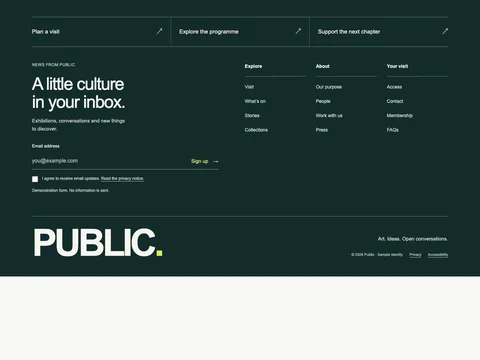
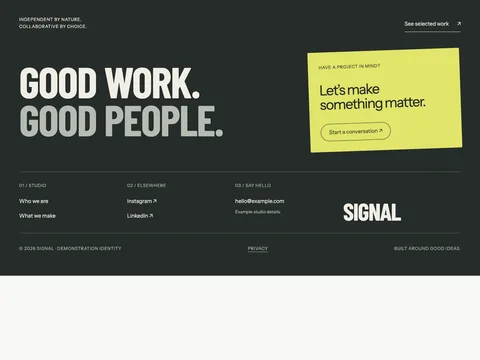
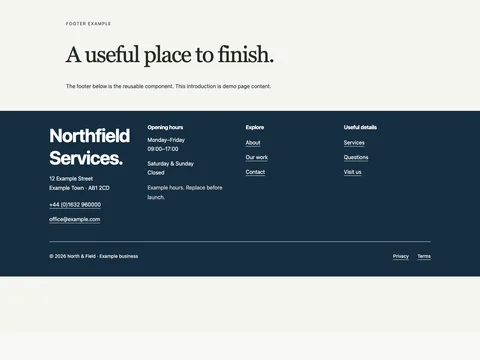
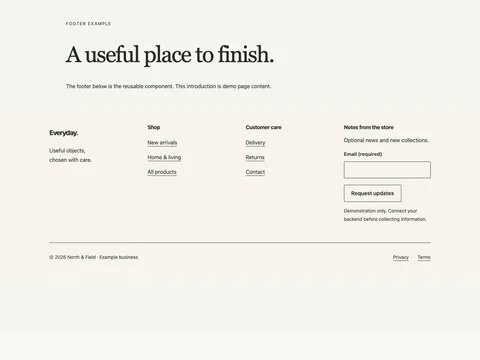
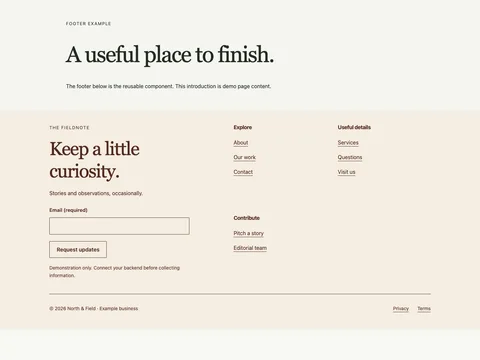
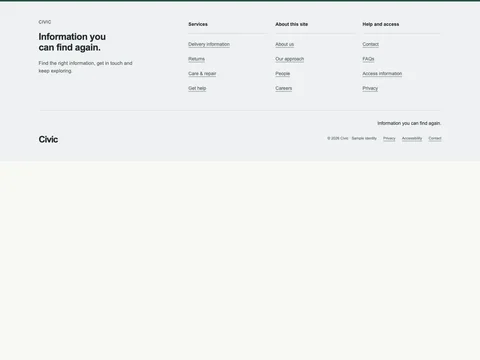
Home / Snippets / Footers / Harbor Supply retail service footer FOOTERS / FREE HTML + ASTRO Harbor Supply retail service footer A retail footer that organizes customer service, shopping with us, about harbor. Includes an accessible, non-delivering newsletter example.
Responsive source Vanilla JavaScript enhancement MIT code · version 1.0.0 Try the design Preview widthFit panel Mobile · 390 px Tablet · 768 px Desktop · 1280 px Open demo ↗
Preview links stay in the example. Copy the source to use your own destinations. Form previews never send information.
Copy the source HTML CSS JavaScript Astro
Copy HTML <footer
class="fct-harbor-supply-shop-footer x-footer-retail"
data-snippet="harbor-supply-shop-footer"
>
<div class="x-wrap">
<div class="x-service-strip">
<a href="delivery.html">Delivery information ↗</a
><a href="returns.html">Returns & support ↗</a><a href="stores.html">Find a store ↗</a>
</div>
<div class="x-footer-top">
<section class="x-footer-news" aria-labelledby="fct-harbor-supply-shop-footer-news">
<p class="x-kicker">NOTES FROM HARBOR SUPPLY</p>
<h2 id="fct-harbor-supply-shop-footer-news">Useful notes for your home.</h2>
<p>Updates, useful information and new things to explore.</p>
<form action="#" method="post" data-demo-form>
<fieldset disabled>
<legend class="x-sr">Email update signup</legend>
<label for="fct-harbor-supply-shop-footer-email">Email address</label>
<div class="x-email">
<input
id="fct-harbor-supply-shop-footer-email"
name="email"
type="email"
required
autocomplete="email"
maxlength="254"
placeholder="you@example.com"
/><button type="submit">Sign up →</button>
</div>
<label class="x-consent"
><input name="consent" type="checkbox" required /><span
>I agree to email updates. <a href="privacy.html">Privacy information.</a></span
></label
>
</fieldset>
<p class="x-status" role="status">Demo only. No information is sent.</p>
</form>
</section>
<nav class="x-footer-directory" aria-label="Footer">
<details open>
<summary>Customer service</summary>
<ul>
<li><a href="delivery-information.html">Delivery information</a></li>
<li><a href="returns.html">Returns</a></li>
<li><a href="care-repair.html">Care & repair</a></li>
<li><a href="get-help.html">Get help</a></li>
</ul>
</details>
<details open>
<summary>Shopping with us</summary>
<ul>
<li><a href="delivery-information.html">Delivery information</a></li>
<li><a href="returns.html">Returns</a></li>
<li><a href="care-repair.html">Care & repair</a></li>
<li><a href="get-help.html">Get help</a></li>
</ul>
</details>
<details open>
<summary>About Harbor</summary>
<ul>
<li><a href="contact.html">Contact</a></li>
<li><a href="faqs.html">FAQs</a></li>
<li><a href="access-information.html">Access information</a></li>
<li><a href="privacy.html">Privacy</a></li>
</ul>
</details>
</nav>
</div>
<div class="x-footer-bottom">
<a class="x-footer-brand" href="index.html" aria-label="Harbor Supply home">Harbor Supply</a>
<div>
<p>Good service after the checkout.</p>
<div class="x-legal">
<span>© 2026 Harbor Supply · Sample identity</span><a href="privacy.html">Privacy</a
><a href="accessibility.html">Accessibility</a><a href="contact.html">Contact</a>
</div>
</div>
</div>
</div>
</footer>
Copy CSS .fct-harbor-supply-shop-footer {
--ink: #242b29;
--muted: #5b665f;
--line: #cbd1c9;
--paper: #f4f3ee;
--accent: #274b39;
color: var(--ink);
background: var(--paper);
font:
16px/1.55 Arial,
Helvetica,
sans-serif;
}
.fct-harbor-supply-shop-footer,
.fct-harbor-supply-shop-footer * {
box-sizing: border-box;
}
.fct-harbor-supply-shop-footer :is(h2, h3, h4, p, ul, dl, dd, figure) {
margin: 0;
}
.fct-harbor-supply-shop-footer :is(h2, h3, h4) {
line-height: 1.12;
font-weight: 400;
letter-spacing: -0.04em;
}
.fct-harbor-supply-shop-footer a {
color: inherit;
text-underline-offset: 4px;
}
.fct-harbor-supply-shop-footer :is(input, select, button, textarea) {
font: inherit;
color: inherit;
}
.fct-harbor-supply-shop-footer :is(a, button, input, select, textarea, summary):focus-visible {
outline: 3px solid #a44114;
outline-offset: 4px;
}
.fct-harbor-supply-shop-footer .x-wrap {
max-width: 1320px;
margin: auto;
padding: 52px clamp(20px, 4vw, 56px);
}
.fct-harbor-supply-shop-footer .x-kicker {
font-size: 0.8125rem;
letter-spacing: 0.05em;
text-transform: uppercase;
margin-bottom: 18px;
}
.fct-harbor-supply-shop-footer .x-title {
font-size: clamp(2.25rem, 5vw, 4rem);
line-height: 1.05;
letter-spacing: -0.05em;
}
.fct-harbor-supply-shop-footer .x-lead {
font-size: 1.0625rem;
color: var(--muted);
max-width: 50ch;
margin-top: 18px;
}
.fct-harbor-supply-shop-footer .x-note {
font-size: 0.8125rem;
color: var(--muted);
}
.fct-harbor-supply-shop-footer .x-button {
display: inline-flex;
justify-content: space-between;
align-items: center;
gap: 20px;
min-height: 48px;
padding: 12px 22px;
background: var(--accent);
color: white;
border: 1px solid var(--accent);
text-decoration: none;
font-weight: 700;
font-size: 0.9375rem;
cursor: pointer;
}
.fct-harbor-supply-shop-footer .x-link {
display: flex;
align-items: center;
justify-content: space-between;
gap: 20px;
min-height: 44px;
padding-block: 10px;
border-bottom: 1px solid currentColor;
text-decoration: none;
}
.fct-harbor-supply-shop-footer img {
display: block;
width: 100%;
height: auto;
}
.fct-harbor-supply-shop-footer [hidden] {
display: none !important;
}
.fct-harbor-supply-shop-footer summary {
min-height: 44px;
align-content: center;
cursor: pointer;
}
.fct-harbor-supply-shop-footer .x-sr {
position: absolute;
width: 1px;
height: 1px;
overflow: hidden;
clip-path: inset(50%);
white-space: nowrap;
}
@media (max-width: 700px) {
.fct-harbor-supply-shop-footer .x-wrap {
padding-block: 32px;
}
}
.fct-harbor-supply-shop-footer {
--paper: #f4f7fa;
--accent: #1f4368;
}
.fct-harbor-supply-shop-footer .x-footer-top {
display: grid;
grid-template-columns: 1fr 1.25fr;
gap: 70px;
padding-bottom: 45px;
}
.fct-harbor-supply-shop-footer h2 {
font-size: clamp(2rem, 3.8vw, 3.4rem);
line-height: 1.05;
max-width: 15ch;
}
.fct-harbor-supply-shop-footer .x-footer-intro > p:not(.x-kicker),
.fct-harbor-supply-shop-footer .x-footer-news > p:not(.x-kicker) {
font-size: 0.9375rem;
color: var(--muted);
max-width: 37ch;
margin-top: 18px;
}
.fct-harbor-supply-shop-footer .x-footer-intro .x-button {
margin-top: 26px;
}
.fct-harbor-supply-shop-footer .x-footer-directory {
display: grid;
grid-template-columns: repeat(3, 1fr);
gap: 25px;
min-width: 0;
}
.fct-harbor-supply-shop-footer .x-footer-directory :is(h3, summary) {
font-size: 0.875rem;
letter-spacing: 0;
font-weight: 700;
min-height: 44px;
border-bottom: 1px solid var(--line);
margin-bottom: 13px;
padding-bottom: 10px;
align-content: center;
}
.fct-harbor-supply-shop-footer summary {
list-style: none;
}
.fct-harbor-supply-shop-footer summary::-webkit-details-marker {
display: none;
}
.fct-harbor-supply-shop-footer ul {
list-style: none;
padding: 0;
display: grid;
gap: 4px;
}
.fct-harbor-supply-shop-footer li a {
display: flex;
align-items: center;
min-height: 40px;
text-decoration: none;
font-size: 0.875rem;
color: var(--muted);
}
.fct-harbor-supply-shop-footer li a:hover {
text-decoration: underline;
}
.fct-harbor-supply-shop-footer .x-footer-bottom {
display: flex;
justify-content: space-between;
align-items: end;
gap: 35px;
border-top: 1px solid var(--line);
padding-top: 28px;
}
.fct-harbor-supply-shop-footer .x-footer-brand {
font:
700 clamp(2rem, 4.3vw, 4rem)/0.95 Arial,
sans-serif;
letter-spacing: -0.06em;
text-decoration: none;
max-width: 45%;
}
.fct-harbor-supply-shop-footer .x-footer-bottom > div {
font-size: 0.875rem;
text-align: right;
}
.fct-harbor-supply-shop-footer .x-legal {
display: flex;
gap: 12px 20px;
justify-content: end;
flex-wrap: wrap;
margin-top: 18px;
font-size: 0.6875rem;
color: var(--muted);
}
.fct-harbor-supply-shop-footer .x-legal :is(a, span) {
min-height: 32px;
align-content: center;
}
.fct-harbor-supply-shop-footer .x-service-strip {
display: flex;
justify-content: space-between;
gap: 25px;
border-block: 1px solid var(--line);
padding: 22px 0;
margin-bottom: 38px;
font-size: 0.9375rem;
}
.fct-harbor-supply-shop-footer .x-service-strip a {
min-height: 32px;
display: flex;
align-items: center;
gap: 20px;
text-decoration: none;
}
.fct-harbor-supply-shop-footer .x-footer-email {
display: inline-flex;
min-height: 48px;
align-items: center;
margin-top: 28px;
font-size: clamp(1.125rem, 2.4vw, 1.8rem);
overflow-wrap: anywhere;
}
.fct-harbor-supply-shop-footer .x-office-links {
display: grid;
grid-template-columns: 1fr 1fr;
gap: 25px;
margin-top: 25px;
}
.fct-harbor-supply-shop-footer .x-office-links a {
display: block;
border-top: 1px solid var(--line);
padding-top: 14px;
font-size: 1.125rem;
text-decoration: none;
}
.fct-harbor-supply-shop-footer .x-office-links span {
font-size: 0.8125rem;
overflow-wrap: anywhere;
}
.fct-harbor-supply-shop-footer .x-audiences {
display: flex;
gap: 20px;
flex-wrap: wrap;
margin-top: 25px;
font-size: 0.875rem;
}
.fct-harbor-supply-shop-footer .x-audiences a {
min-height: 44px;
align-content: center;
}
.fct-harbor-supply-shop-footer form {
margin-top: 25px;
}
.fct-harbor-supply-shop-footer fieldset {
border: 0;
margin: 0;
padding: 0;
min-width: 0;
}
.fct-harbor-supply-shop-footer label {
font-size: 0.8125rem;
}
.fct-harbor-supply-shop-footer .x-email {
display: flex;
border-bottom: 1px solid currentColor;
margin-top: 8px;
}
.fct-harbor-supply-shop-footer input[type="email"] {
width: 100%;
min-width: 0;
background: transparent;
border: 0;
min-height: 48px;
padding: 10px 0;
font-size: 1rem;
}
.fct-harbor-supply-shop-footer input::placeholder {
color: var(--muted);
}
.fct-harbor-supply-shop-footer button {
background: transparent;
color: inherit;
border: 0;
padding: 10px 0 10px 15px;
min-height: 48px;
font-weight: 700;
white-space: nowrap;
cursor: pointer;
font-size: 0.875rem;
}
.fct-harbor-supply-shop-footer .x-consent {
display: flex;
align-items: start;
gap: 12px;
margin-top: 18px;
font-size: 0.75rem;
color: var(--muted);
}
.fct-harbor-supply-shop-footer input[type="checkbox"] {
flex: none;
width: 18px;
height: 18px;
margin-top: 2px;
accent-color: var(--accent);
}
.fct-harbor-supply-shop-footer .x-status {
font-size: 0.75rem;
margin-top: 15px;
color: var(--muted);
min-height: 3em;
}
.fct-harbor-supply-shop-footer {
background: #f7f7f3;
}
.fct-harbor-supply-shop-footer .x-footer-top {
grid-template-columns: 0.95fr 1.4fr;
}
.fct-harbor-supply-shop-footer .x-service-strip a {
font-weight: 700;
}
.fct-harbor-supply-shop-footer .x-footer-brand {
text-transform: uppercase;
font-size: 2.8rem;
}
@media (max-width: 800px) {
.fct-harbor-supply-shop-footer .x-footer-top {
display: block;
padding-bottom: 32px;
}
.fct-harbor-supply-shop-footer .x-footer-directory {
margin-top: 35px;
grid-template-columns: 1fr;
gap: 0;
}
.fct-harbor-supply-shop-footer .x-footer-directory > details {
border-top: 1px solid var(--line);
padding-block: 5px;
}
.fct-harbor-supply-shop-footer .x-footer-directory :is(h3, summary) {
border: 0;
margin: 0;
padding-block: 8px;
list-style: disclosure-closed;
list-style-position: inside;
}
.fct-harbor-supply-shop-footer summary::-webkit-details-marker {
display: initial;
}
.fct-harbor-supply-shop-footer ul {
padding-bottom: 18px;
}
.fct-harbor-supply-shop-footer .x-footer-bottom {
display: block;
}
.fct-harbor-supply-shop-footer .x-footer-brand {
max-width: none;
display: block;
font-size: 2.5rem;
}
.fct-harbor-supply-shop-footer .x-footer-bottom > div {
text-align: left;
margin-top: 24px;
}
.fct-harbor-supply-shop-footer .x-legal {
justify-content: start;
gap: 6px 18px;
}
.fct-harbor-supply-shop-footer .x-service-strip {
display: block;
margin-bottom: 30px;
}
.fct-harbor-supply-shop-footer .x-service-strip a {
padding-block: 10px;
border-bottom: 1px solid var(--line);
}
.fct-harbor-supply-shop-footer .x-service-strip a:last-child {
border-bottom: 0;
}
.fct-harbor-supply-shop-footer .x-footer-news {
display: block;
}
.fct-harbor-supply-shop-footer .x-footer-news form {
margin-top: 25px;
}
.fct-harbor-supply-shop-footer .x-footer-directory > div:last-child {
grid-column: auto;
}
.fct-harbor-supply-shop-footer .x-footer-directory > div:last-child ul {
grid-template-columns: 1fr;
}
.fct-harbor-supply-shop-footer .x-office-links {
grid-template-columns: 1fr;
gap: 20px;
}
.fct-harbor-supply-shop-footer .x-footer-intro {
padding-left: 0;
border: 0;
}
}
Copy JavaScript (() => {
for (const root of document.querySelectorAll('[data-snippet="harbor-supply-shop-footer"]')) {
if (root.dataset.initialized) continue;
root.dataset.initialized = "true";
const groups = root.querySelectorAll(".x-footer-directory details"),
mq = matchMedia("(max-width:800px)"),
layout = () => {
for (const group of groups) group.open = !mq.matches;
};
layout();
mq.addEventListener("change", layout);
const form = root.querySelector("form");
form.querySelector("fieldset").disabled = false;
form.addEventListener("submit", (e) => {
e.preventDefault();
root.querySelector("[role=status]").textContent =
"Demo only: no information was sent. Connect your own backend before collecting subscriptions.";
});
}
})();
Copy Astro ---
// Original reusable section. Use unique IDs, selectors and radio names before duplicating.
---
<footer
  class="fct-harbor-supply-shop-footer x-footer-retail"
  data-snippet="harbor-supply-shop-footer"
>
  <div class="x-wrap">
    <div class="x-service-strip">
      <a href="delivery.html">Delivery information ↗</a
      ><a href="returns.html">Returns & support ↗</a><a href="stores.html">Find a store ↗</a>
    </div>
    <div class="x-footer-top">
      <section class="x-footer-news" aria-labelledby="fct-harbor-supply-shop-footer-news">
        <p class="x-kicker">NOTES FROM HARBOR SUPPLY</p>
        <h2 id="fct-harbor-supply-shop-footer-news">Useful notes for your home.</h2>
        <p>Updates, useful information and new things to explore.</p>
        <form action="#" method="post" data-demo-form>
          <fieldset disabled>
            <legend class="x-sr">Email update signup</legend>
            <label for="fct-harbor-supply-shop-footer-email">Email address</label>
            <div class="x-email">
              <input
                id="fct-harbor-supply-shop-footer-email"
                name="email"
                type="email"
                required
                autocomplete="email"
                maxlength="254"
                placeholder="you@example.com"
              /><button type="submit">Sign up →</button>
            </div>
            <label class="x-consent"
              ><input name="consent" type="checkbox" required /><span
                >I agree to email updates. <a href="privacy.html">Privacy information.</a></span
              ></label
            >
          </fieldset>
          <p class="x-status" role="status">Demo only. No information is sent.</p>
        </form>
      </section>
      <nav class="x-footer-directory" aria-label="Footer">
        <details open>
          <summary>Customer service</summary>
          <ul>
            <li><a href="delivery-information.html">Delivery information</a></li>
            <li><a href="returns.html">Returns</a></li>
            <li><a href="care-repair.html">Care & repair</a></li>
            <li><a href="get-help.html">Get help</a></li>
          </ul>
        </details>
        <details open>
          <summary>Shopping with us</summary>
          <ul>
            <li><a href="delivery-information.html">Delivery information</a></li>
            <li><a href="returns.html">Returns</a></li>
            <li><a href="care-repair.html">Care & repair</a></li>
            <li><a href="get-help.html">Get help</a></li>
          </ul>
        </details>
        <details open>
          <summary>About Harbor</summary>
          <ul>
            <li><a href="contact.html">Contact</a></li>
            <li><a href="faqs.html">FAQs</a></li>
            <li><a href="access-information.html">Access information</a></li>
            <li><a href="privacy.html">Privacy</a></li>
          </ul>
        </details>
      </nav>
    </div>
    <div class="x-footer-bottom">
      <a class="x-footer-brand" href="index.html" aria-label="Harbor Supply home">Harbor Supply</a>
      <div>
        <p>Good service after the checkout.</p>
        <div class="x-legal">
          <span>© 2026 Harbor Supply · Sample identity</span><a href="privacy.html">Privacy</a
          ><a href="accessibility.html">Accessibility</a><a href="contact.html">Contact</a>
        </div>
      </div>
    </div>
  </div>
</footer>
<style is:global>
.fct-harbor-supply-shop-footer {
  --ink: #242b29;
  --muted: #5b665f;
  --line: #cbd1c9;
  --paper: #f4f3ee;
  --accent: #274b39;
  color: var(--ink);
  background: var(--paper);
  font:
    16px/1.55 Arial,
    Helvetica,
    sans-serif;
}
.fct-harbor-supply-shop-footer,
.fct-harbor-supply-shop-footer * {
  box-sizing: border-box;
}
.fct-harbor-supply-shop-footer :is(h2, h3, h4, p, ul, dl, dd, figure) {
  margin: 0;
}
.fct-harbor-supply-shop-footer :is(h2, h3, h4) {
  line-height: 1.12;
  font-weight: 400;
  letter-spacing: -0.04em;
}
.fct-harbor-supply-shop-footer a {
  color: inherit;
  text-underline-offset: 4px;
}
.fct-harbor-supply-shop-footer :is(input, select, button, textarea) {
  font: inherit;
  color: inherit;
}
.fct-harbor-supply-shop-footer :is(a, button, input, select, textarea, summary):focus-visible {
  outline: 3px solid #a44114;
  outline-offset: 4px;
}
.fct-harbor-supply-shop-footer .x-wrap {
  max-width: 1320px;
  margin: auto;
  padding: 52px clamp(20px, 4vw, 56px);
}
.fct-harbor-supply-shop-footer .x-kicker {
  font-size: 0.8125rem;
  letter-spacing: 0.05em;
  text-transform: uppercase;
  margin-bottom: 18px;
}
.fct-harbor-supply-shop-footer .x-title {
  font-size: clamp(2.25rem, 5vw, 4rem);
  line-height: 1.05;
  letter-spacing: -0.05em;
}
.fct-harbor-supply-shop-footer .x-lead {
  font-size: 1.0625rem;
  color: var(--muted);
  max-width: 50ch;
  margin-top: 18px;
}
.fct-harbor-supply-shop-footer .x-note {
  font-size: 0.8125rem;
  color: var(--muted);
}
.fct-harbor-supply-shop-footer .x-button {
  display: inline-flex;
  justify-content: space-between;
  align-items: center;
  gap: 20px;
  min-height: 48px;
  padding: 12px 22px;
  background: var(--accent);
  color: white;
  border: 1px solid var(--accent);
  text-decoration: none;
  font-weight: 700;
  font-size: 0.9375rem;
  cursor: pointer;
}
.fct-harbor-supply-shop-footer .x-link {
  display: flex;
  align-items: center;
  justify-content: space-between;
  gap: 20px;
  min-height: 44px;
  padding-block: 10px;
  border-bottom: 1px solid currentColor;
  text-decoration: none;
}
.fct-harbor-supply-shop-footer img {
  display: block;
  width: 100%;
  height: auto;
}
.fct-harbor-supply-shop-footer [hidden] {
  display: none !important;
}
.fct-harbor-supply-shop-footer summary {
  min-height: 44px;
  align-content: center;
  cursor: pointer;
}
.fct-harbor-supply-shop-footer .x-sr {
  position: absolute;
  width: 1px;
  height: 1px;
  overflow: hidden;
  clip-path: inset(50%);
  white-space: nowrap;
}
@media (max-width: 700px) {
  .fct-harbor-supply-shop-footer .x-wrap {
    padding-block: 32px;
  }
}
.fct-harbor-supply-shop-footer {
  --paper: #f4f7fa;
  --accent: #1f4368;
}
.fct-harbor-supply-shop-footer .x-footer-top {
  display: grid;
  grid-template-columns: 1fr 1.25fr;
  gap: 70px;
  padding-bottom: 45px;
}
.fct-harbor-supply-shop-footer h2 {
  font-size: clamp(2rem, 3.8vw, 3.4rem);
  line-height: 1.05;
  max-width: 15ch;
}
.fct-harbor-supply-shop-footer .x-footer-intro > p:not(.x-kicker),
.fct-harbor-supply-shop-footer .x-footer-news > p:not(.x-kicker) {
  font-size: 0.9375rem;
  color: var(--muted);
  max-width: 37ch;
  margin-top: 18px;
}
.fct-harbor-supply-shop-footer .x-footer-intro .x-button {
  margin-top: 26px;
}
.fct-harbor-supply-shop-footer .x-footer-directory {
  display: grid;
  grid-template-columns: repeat(3, 1fr);
  gap: 25px;
  min-width: 0;
}
.fct-harbor-supply-shop-footer .x-footer-directory :is(h3, summary) {
  font-size: 0.875rem;
  letter-spacing: 0;
  font-weight: 700;
  min-height: 44px;
  border-bottom: 1px solid var(--line);
  margin-bottom: 13px;
  padding-bottom: 10px;
  align-content: center;
}
.fct-harbor-supply-shop-footer summary {
  list-style: none;
}
.fct-harbor-supply-shop-footer summary::-webkit-details-marker {
  display: none;
}
.fct-harbor-supply-shop-footer ul {
  list-style: none;
  padding: 0;
  display: grid;
  gap: 4px;
}
.fct-harbor-supply-shop-footer li a {
  display: flex;
  align-items: center;
  min-height: 40px;
  text-decoration: none;
  font-size: 0.875rem;
  color: var(--muted);
}
.fct-harbor-supply-shop-footer li a:hover {
  text-decoration: underline;
}
.fct-harbor-supply-shop-footer .x-footer-bottom {
  display: flex;
  justify-content: space-between;
  align-items: end;
  gap: 35px;
  border-top: 1px solid var(--line);
  padding-top: 28px;
}
.fct-harbor-supply-shop-footer .x-footer-brand {
  font:
    700 clamp(2rem, 4.3vw, 4rem)/0.95 Arial,
    sans-serif;
  letter-spacing: -0.06em;
  text-decoration: none;
  max-width: 45%;
}
.fct-harbor-supply-shop-footer .x-footer-bottom > div {
  font-size: 0.875rem;
  text-align: right;
}
.fct-harbor-supply-shop-footer .x-legal {
  display: flex;
  gap: 12px 20px;
  justify-content: end;
  flex-wrap: wrap;
  margin-top: 18px;
  font-size: 0.6875rem;
  color: var(--muted);
}
.fct-harbor-supply-shop-footer .x-legal :is(a, span) {
  min-height: 32px;
  align-content: center;
}
.fct-harbor-supply-shop-footer .x-service-strip {
  display: flex;
  justify-content: space-between;
  gap: 25px;
  border-block: 1px solid var(--line);
  padding: 22px 0;
  margin-bottom: 38px;
  font-size: 0.9375rem;
}
.fct-harbor-supply-shop-footer .x-service-strip a {
  min-height: 32px;
  display: flex;
  align-items: center;
  gap: 20px;
  text-decoration: none;
}
.fct-harbor-supply-shop-footer .x-footer-email {
  display: inline-flex;
  min-height: 48px;
  align-items: center;
  margin-top: 28px;
  font-size: clamp(1.125rem, 2.4vw, 1.8rem);
  overflow-wrap: anywhere;
}
.fct-harbor-supply-shop-footer .x-office-links {
  display: grid;
  grid-template-columns: 1fr 1fr;
  gap: 25px;
  margin-top: 25px;
}
.fct-harbor-supply-shop-footer .x-office-links a {
  display: block;
  border-top: 1px solid var(--line);
  padding-top: 14px;
  font-size: 1.125rem;
  text-decoration: none;
}
.fct-harbor-supply-shop-footer .x-office-links span {
  font-size: 0.8125rem;
  overflow-wrap: anywhere;
}
.fct-harbor-supply-shop-footer .x-audiences {
  display: flex;
  gap: 20px;
  flex-wrap: wrap;
  margin-top: 25px;
  font-size: 0.875rem;
}
.fct-harbor-supply-shop-footer .x-audiences a {
  min-height: 44px;
  align-content: center;
}
.fct-harbor-supply-shop-footer form {
  margin-top: 25px;
}
.fct-harbor-supply-shop-footer fieldset {
  border: 0;
  margin: 0;
  padding: 0;
  min-width: 0;
}
.fct-harbor-supply-shop-footer label {
  font-size: 0.8125rem;
}
.fct-harbor-supply-shop-footer .x-email {
  display: flex;
  border-bottom: 1px solid currentColor;
  margin-top: 8px;
}
.fct-harbor-supply-shop-footer input[type="email"] {
  width: 100%;
  min-width: 0;
  background: transparent;
  border: 0;
  min-height: 48px;
  padding: 10px 0;
  font-size: 1rem;
}
.fct-harbor-supply-shop-footer input::placeholder {
  color: var(--muted);
}
.fct-harbor-supply-shop-footer button {
  background: transparent;
  color: inherit;
  border: 0;
  padding: 10px 0 10px 15px;
  min-height: 48px;
  font-weight: 700;
  white-space: nowrap;
  cursor: pointer;
  font-size: 0.875rem;
}
.fct-harbor-supply-shop-footer .x-consent {
  display: flex;
  align-items: start;
  gap: 12px;
  margin-top: 18px;
  font-size: 0.75rem;
  color: var(--muted);
}
.fct-harbor-supply-shop-footer input[type="checkbox"] {
  flex: none;
  width: 18px;
  height: 18px;
  margin-top: 2px;
  accent-color: var(--accent);
}
.fct-harbor-supply-shop-footer .x-status {
  font-size: 0.75rem;
  margin-top: 15px;
  color: var(--muted);
  min-height: 3em;
}
.fct-harbor-supply-shop-footer {
  background: #f7f7f3;
}
.fct-harbor-supply-shop-footer .x-footer-top {
  grid-template-columns: 0.95fr 1.4fr;
}
.fct-harbor-supply-shop-footer .x-service-strip a {
  font-weight: 700;
}
.fct-harbor-supply-shop-footer .x-footer-brand {
  text-transform: uppercase;
  font-size: 2.8rem;
}
@media (max-width: 800px) {
  .fct-harbor-supply-shop-footer .x-footer-top {
    display: block;
    padding-bottom: 32px;
  }
  .fct-harbor-supply-shop-footer .x-footer-directory {
    margin-top: 35px;
    grid-template-columns: 1fr;
    gap: 0;
  }
  .fct-harbor-supply-shop-footer .x-footer-directory > details {
    border-top: 1px solid var(--line);
    padding-block: 5px;
  }
  .fct-harbor-supply-shop-footer .x-footer-directory :is(h3, summary) {
    border: 0;
    margin: 0;
    padding-block: 8px;
    list-style: disclosure-closed;
    list-style-position: inside;
  }
  .fct-harbor-supply-shop-footer summary::-webkit-details-marker {
    display: initial;
  }
  .fct-harbor-supply-shop-footer ul {
    padding-bottom: 18px;
  }
  .fct-harbor-supply-shop-footer .x-footer-bottom {
    display: block;
  }
  .fct-harbor-supply-shop-footer .x-footer-brand {
    max-width: none;
    display: block;
    font-size: 2.5rem;
  }
  .fct-harbor-supply-shop-footer .x-footer-bottom > div {
    text-align: left;
    margin-top: 24px;
  }
  .fct-harbor-supply-shop-footer .x-legal {
    justify-content: start;
    gap: 6px 18px;
  }
  .fct-harbor-supply-shop-footer .x-service-strip {
    display: block;
    margin-bottom: 30px;
  }
  .fct-harbor-supply-shop-footer .x-service-strip a {
    padding-block: 10px;
    border-bottom: 1px solid var(--line);
  }
  .fct-harbor-supply-shop-footer .x-service-strip a:last-child {
    border-bottom: 0;
  }
  .fct-harbor-supply-shop-footer .x-footer-news {
    display: block;
  }
  .fct-harbor-supply-shop-footer .x-footer-news form {
    margin-top: 25px;
  }
  .fct-harbor-supply-shop-footer .x-footer-directory > div:last-child {
    grid-column: auto;
  }
  .fct-harbor-supply-shop-footer .x-footer-directory > div:last-child ul {
    grid-template-columns: 1fr;
  }
  .fct-harbor-supply-shop-footer .x-office-links {
    grid-template-columns: 1fr;
    gap: 20px;
  }
  .fct-harbor-supply-shop-footer .x-footer-intro {
    padding-left: 0;
    border: 0;
  }
}
</style>
<script is:inline>
(() => {
  for (const root of document.querySelectorAll('[data-snippet="harbor-supply-shop-footer"]')) {
    if (root.dataset.initialized) continue;
    root.dataset.initialized = "true";
    const groups = root.querySelectorAll(".x-footer-directory details"),
      mq = matchMedia("(max-width:800px)"),
      layout = () => {
        for (const group of groups) group.open = !mq.matches;
      };
    layout();
    mq.addEventListener("change", layout);
    const form = root.querySelector("form");
    form.querySelector("fieldset").disabled = false;
    form.addEventListener("submit", (e) => {
      e.preventDefault();
      root.querySelector("[role=status]").textContent =
        "Demo only: no information was sent. Connect your own backend before collecting subscriptions.";
    });
  }
})();
</script>
Code tabs need JavaScript. All source formats are included in the open downloads.
TAKE THE FILES Ready to adapt. Best for: Reusable footer navigation and service information.
Download HTML example 7.8 KB ZIP · no email required Download Astro component 5.7 KB ZIP · no email required
Dependencies System fonts, scoped CSS and vanilla JavaScript. No framework required.
Source size 13.6 KB before compression Prepare form markup ↗ Where this design fits The retail composition makes the next task visible before the small policy links. The hierarchy can be adapted without importing a UI framework; all business details and destinations are illustrative.
Validated newsletter markup with explicit consent Native mobile directory disclosures Scoped styles and complete source The real-site reference IKEA UK ↗
The reference informs search-led retail navigation and customer-service directories. This example uses original branding, copy, styling and code; it does not reproduce the reference product or its assets. Reference inspected 2 November 2026. This example has its own branding, content and code; it is not affiliated with the reference product.
What is included The HTML ZIP includes a standalone demo, reusable markup, scoped CSS, its small JavaScript runtime, a license and setup notes. The Astro ZIP includes Snippet.astro. It can be imported into an existing Astro page or layout.
Connect a real form backend These forms demonstrate layout and native browser validation. No messages are sent. Configure the form action, remove the demo interception and disabled fieldset, then implement delivery, server validation and spam handling on your backend. Test actual success and error responses before publishing. An appointment request does not confirm availability.
Add it to an HTML website Copy snippet.html into the relevant page section. Load snippet.css after your existing site stylesheet. The class prefix identifies this design. Load snippet.js once with defer. Keep the included keyboard behavior when adapting interactions. Replace example content and check mobile widths, zoom, links and keyboard focus in your actual website. Use it in Astro Copy Snippet.astro into src/components/, import it into your page or shared layout, and insert the component where the section belongs. Keep each generated prefix unique if you duplicate a component on one page.
Keep the section maintainable Start with the variables at the top of the CSS for background, text and accent colors. Preserve semantic labels and focus styles. Existing site selectors can still affect imported markup, so test the combined result. Read the complete setup notes .