Home / Snippets / Pricing / Feature comparison pricing table Try the design Preview widthFit panel Mobile · 390 px Tablet · 768 px Desktop · 1280 px Open demo ↗
Preview links stay in the example. Copy the source to use your own destinations. Form previews never send information.
Copy the source HTML CSS Astro
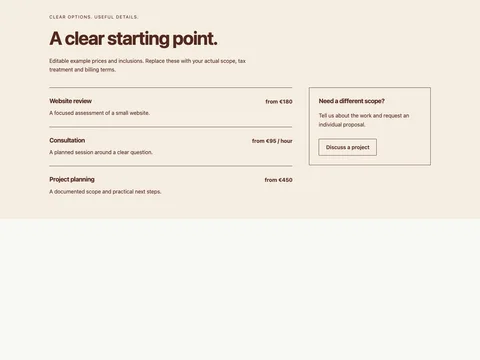
Copy HTML <section class="fct-feature-comparison-pricing s-pricing s-comparison" data-snippet="feature-comparison-pricing" aria-labelledby="fct-feature-comparison-pricing-heading"><div class="s-wrap"><p class="s-kicker">Clear options. Useful details.</p><h2 id="fct-feature-comparison-pricing-heading">Choose the scope that fits.</h2><p class="s-pricing-intro">Editable example prices and inclusions. Replace these with your actual scope, tax treatment and billing terms.</p><div class="s-table-scroll" role="region" aria-label="Scrollable plan comparison" tabindex="0"><table><caption>Sample plan features and monthly prices</caption><thead><tr><th scope="col">Feature</th><th scope="col">Essentials<br><span>€19 / month</span></th><th scope="col">Complete<br><span>€49 / month</span></th><th scope="col">Ongoing<br><span>€99 / month</span></th></tr></thead><tbody><tr><th scope="row">Included projects</th><td>1</td><td>5</td><td>15</td></tr><tr><th scope="row">Team members</th><td>1</td><td>5</td><td>15</td></tr><tr><th scope="row">Shared workspace</th><td>Not included</td><td>Included</td><td>Included</td></tr><tr><th scope="row">Export tools</th><td>Included</td><td>Included</td><td>Included</td></tr><tr><th scope="row">Next step</th><td><a class="s-button" href="contact.html">Ask about Essentials</a></td><td><a class="s-button" href="contact.html">Ask about Complete</a></td><td><a class="s-button" href="contact.html">Ask about Ongoing</a></td></tr></tbody></table></div></div></section>
Copy CSS .fct-feature-comparison-pricing{--s-bg:#f7f4eb;--s-ink:#252d26;--s-accent:#4b5d36;font:16px/1.65 system-ui,sans-serif;color:var(--s-ink);background:var(--s-bg)}.fct-feature-comparison-pricing,.fct-feature-comparison-pricing *{box-sizing:border-box}.fct-feature-comparison-pricing :is(h2,h3,p,ul,figure){margin:0}.fct-feature-comparison-pricing h2,.fct-feature-comparison-pricing h3{line-height:1.2;letter-spacing:-.035em}.fct-feature-comparison-pricing h2{font-size:clamp(1.8rem,4vw,3.5rem)}.fct-feature-comparison-pricing a{color:inherit;text-underline-offset:5px;overflow-wrap:anywhere}.fct-feature-comparison-pricing :is(a,button,input,textarea,select,summary):focus-visible{outline:3px solid var(--s-accent);outline-offset:4px}.fct-feature-comparison-pricing button,.fct-feature-comparison-pricing input,.fct-feature-comparison-pricing textarea,.fct-feature-comparison-pricing select{font:inherit}.fct-feature-comparison-pricing a,.fct-feature-comparison-pricing button{touch-action:manipulation}.fct-feature-comparison-pricing .s-wrap{max-width:1200px;margin-inline:auto;padding:40px 28px}.fct-feature-comparison-pricing .s-kicker{font-size:.8125rem;letter-spacing:.13em;text-transform:uppercase;margin-bottom:18px}.fct-feature-comparison-pricing .s-button{display:inline-flex;align-items:center;justify-content:center;min-height:46px;padding:11px 21px;border:1px solid currentColor;text-decoration:none;background:transparent;color:inherit;cursor:pointer;border-radius:2px;font-weight:600}.fct-feature-comparison-pricing .s-muted{opacity:.82}.fct-feature-comparison-pricing .s-links{display:flex;gap:8px 26px;flex-wrap:wrap}.fct-feature-comparison-pricing .s-links a{display:inline-flex;align-items:center;min-height:44px}.fct-feature-comparison-pricing .s-rule{border-top:1px solid currentColor;padding-top:20px;margin-top:30px}.fct-feature-comparison-pricing .s-grid{display:grid;gap:28px;grid-template-columns:repeat(3,minmax(0,1fr))}.fct-feature-comparison-pricing img{max-width:100%;height:auto;display:block}.fct-feature-comparison-pricing .s-brand{font-size:1.3rem;font-weight:700;letter-spacing:-.05em;text-decoration:none}@media(max-width:640px){.fct-feature-comparison-pricing .s-wrap{padding:30px 20px}.fct-feature-comparison-pricing .s-grid{grid-template-columns:1fr}}
.fct-feature-comparison-pricing .s-pricing-intro{max-width:64ch;margin:22px 0 40px}.fct-feature-comparison-pricing .s-prices{display:grid;grid-template-columns:repeat(3,minmax(0,1fr));gap:24px}.fct-feature-comparison-pricing .s-prices article{border:1px solid currentColor;padding:28px;display:flex;flex-direction:column;gap:26px;min-width:0}.fct-feature-comparison-pricing .s-prices h3{font-size:1.6rem}.fct-feature-comparison-pricing .s-prices ul{padding-left:20px;line-height:2}.fct-feature-comparison-pricing .s-prices .s-button{margin-top:auto}.fct-feature-comparison-pricing .s-price strong{font-size:2.7rem;letter-spacing:-.05em;overflow-wrap:anywhere}.fct-feature-comparison-pricing .s-price p{font-size:.875rem}.fct-feature-comparison-pricing.s-rows .s-prices{display:block}.fct-feature-comparison-pricing.s-rows article{display:grid;grid-template-columns:1.2fr .7fr 1.5fr auto;align-items:center;margin-bottom:16px;border-inline:0;padding-inline:0}.fct-feature-comparison-pricing .s-billing{display:flex;flex-wrap:wrap;gap:22px;border:1px solid currentColor;padding:18px;margin:30px 0 15px;max-width:400px}.fct-feature-comparison-pricing .s-billing label{min-height:44px;align-content:center;cursor:pointer}.fct-feature-comparison-pricing .s-billing input{width:20px;height:20px;accent-color:var(--s-accent);vertical-align:middle}.fct-feature-comparison-pricing .s-billing-status{font-size:.875rem;margin-bottom:25px}.fct-feature-comparison-pricing .s-table-scroll{max-width:100%;overflow:auto}.fct-feature-comparison-pricing table{border-collapse:collapse;min-width:660px;width:100%;text-align:left}.fct-feature-comparison-pricing caption{text-align:left;font-weight:600;margin-bottom:18px}.fct-feature-comparison-pricing :is(th,td){padding:20px;border:1px solid #b3b9aa;vertical-align:top}.fct-feature-comparison-pricing th span{font-size:.875rem;font-weight:400}.fct-feature-comparison-pricing .s-rate-layout{display:grid;grid-template-columns:2fr 1fr;gap:50px}.fct-feature-comparison-pricing .s-rate{display:flex;justify-content:space-between;gap:25px;border-top:1px solid currentColor;padding:28px 0}.fct-feature-comparison-pricing .s-rate strong{flex:none}.fct-feature-comparison-pricing .s-rate p{margin-top:12px}.fct-feature-comparison-pricing aside{border:1px solid currentColor;padding:28px;align-self:start}.fct-feature-comparison-pricing aside p{margin:20px 0 30px}@media(max-width:900px){.fct-feature-comparison-pricing.s-rows article{grid-template-columns:1fr 1fr}.fct-feature-comparison-pricing.s-rows ul{grid-column:1/-1}}@media(max-width:700px){.fct-feature-comparison-pricing .s-prices,.fct-feature-comparison-pricing .s-rate-layout{grid-template-columns:1fr}.fct-feature-comparison-pricing .s-rate{flex-direction:column}.fct-feature-comparison-pricing.s-rows article{grid-template-columns:1fr}.fct-feature-comparison-pricing .s-prices article{padding:24px}}Copy Astro ---
// Generated, escaped static markup. Use a distinct prefix for each instance.
const markup = "\u003csection class=\"fct-feature-comparison-pricing s-pricing s-comparison\" data-snippet=\"feature-comparison-pricing\" aria-labelledby=\"fct-feature-comparison-pricing-heading\"\u003e\u003cdiv class=\"s-wrap\"\u003e\u003cp class=\"s-kicker\"\u003eClear options. Useful details.\u003c/p\u003e\u003ch2 id=\"fct-feature-comparison-pricing-heading\"\u003eChoose the scope that fits.\u003c/h2\u003e\u003cp class=\"s-pricing-intro\"\u003eEditable example prices and inclusions. Replace these with your actual scope, tax treatment and billing terms.\u003c/p\u003e\u003cdiv class=\"s-table-scroll\" role=\"region\" aria-label=\"Scrollable plan comparison\" tabindex=\"0\"\u003e\u003ctable\u003e\u003ccaption\u003eSample plan features and monthly prices\u003c/caption\u003e\u003cthead\u003e\u003ctr\u003e\u003cth scope=\"col\"\u003eFeature\u003c/th\u003e\u003cth scope=\"col\"\u003eEssentials\u003cbr\u003e\u003cspan\u003e€19 / month\u003c/span\u003e\u003c/th\u003e\u003cth scope=\"col\"\u003eComplete\u003cbr\u003e\u003cspan\u003e€49 / month\u003c/span\u003e\u003c/th\u003e\u003cth scope=\"col\"\u003eOngoing\u003cbr\u003e\u003cspan\u003e€99 / month\u003c/span\u003e\u003c/th\u003e\u003c/tr\u003e\u003c/thead\u003e\u003ctbody\u003e\u003ctr\u003e\u003cth scope=\"row\"\u003eIncluded projects\u003c/th\u003e\u003ctd\u003e1\u003c/td\u003e\u003ctd\u003e5\u003c/td\u003e\u003ctd\u003e15\u003c/td\u003e\u003c/tr\u003e\u003ctr\u003e\u003cth scope=\"row\"\u003eTeam members\u003c/th\u003e\u003ctd\u003e1\u003c/td\u003e\u003ctd\u003e5\u003c/td\u003e\u003ctd\u003e15\u003c/td\u003e\u003c/tr\u003e\u003ctr\u003e\u003cth scope=\"row\"\u003eShared workspace\u003c/th\u003e\u003ctd\u003eNot included\u003c/td\u003e\u003ctd\u003eIncluded\u003c/td\u003e\u003ctd\u003eIncluded\u003c/td\u003e\u003c/tr\u003e\u003ctr\u003e\u003cth scope=\"row\"\u003eExport tools\u003c/th\u003e\u003ctd\u003eIncluded\u003c/td\u003e\u003ctd\u003eIncluded\u003c/td\u003e\u003ctd\u003eIncluded\u003c/td\u003e\u003c/tr\u003e\u003ctr\u003e\u003cth scope=\"row\"\u003eNext step\u003c/th\u003e\u003ctd\u003e\u003ca class=\"s-button\" href=\"contact.html\"\u003eAsk about Essentials\u003c/a\u003e\u003c/td\u003e\u003ctd\u003e\u003ca class=\"s-button\" href=\"contact.html\"\u003eAsk about Complete\u003c/a\u003e\u003c/td\u003e\u003ctd\u003e\u003ca class=\"s-button\" href=\"contact.html\"\u003eAsk about Ongoing\u003c/a\u003e\u003c/td\u003e\u003c/tr\u003e\u003c/tbody\u003e\u003c/table\u003e\u003c/div\u003e\u003c/div\u003e\u003c/section\u003e";
---
<Fragment set:html={markup} />
<style is:global>
.fct-feature-comparison-pricing{--s-bg:#f7f4eb;--s-ink:#252d26;--s-accent:#4b5d36;font:16px/1.65 system-ui,sans-serif;color:var(--s-ink);background:var(--s-bg)}.fct-feature-comparison-pricing,.fct-feature-comparison-pricing *{box-sizing:border-box}.fct-feature-comparison-pricing :is(h2,h3,p,ul,figure){margin:0}.fct-feature-comparison-pricing h2,.fct-feature-comparison-pricing h3{line-height:1.2;letter-spacing:-.035em}.fct-feature-comparison-pricing h2{font-size:clamp(1.8rem,4vw,3.5rem)}.fct-feature-comparison-pricing a{color:inherit;text-underline-offset:5px;overflow-wrap:anywhere}.fct-feature-comparison-pricing :is(a,button,input,textarea,select,summary):focus-visible{outline:3px solid var(--s-accent);outline-offset:4px}.fct-feature-comparison-pricing button,.fct-feature-comparison-pricing input,.fct-feature-comparison-pricing textarea,.fct-feature-comparison-pricing select{font:inherit}.fct-feature-comparison-pricing a,.fct-feature-comparison-pricing button{touch-action:manipulation}.fct-feature-comparison-pricing .s-wrap{max-width:1200px;margin-inline:auto;padding:40px 28px}.fct-feature-comparison-pricing .s-kicker{font-size:.8125rem;letter-spacing:.13em;text-transform:uppercase;margin-bottom:18px}.fct-feature-comparison-pricing .s-button{display:inline-flex;align-items:center;justify-content:center;min-height:46px;padding:11px 21px;border:1px solid currentColor;text-decoration:none;background:transparent;color:inherit;cursor:pointer;border-radius:2px;font-weight:600}.fct-feature-comparison-pricing .s-muted{opacity:.82}.fct-feature-comparison-pricing .s-links{display:flex;gap:8px 26px;flex-wrap:wrap}.fct-feature-comparison-pricing .s-links a{display:inline-flex;align-items:center;min-height:44px}.fct-feature-comparison-pricing .s-rule{border-top:1px solid currentColor;padding-top:20px;margin-top:30px}.fct-feature-comparison-pricing .s-grid{display:grid;gap:28px;grid-template-columns:repeat(3,minmax(0,1fr))}.fct-feature-comparison-pricing img{max-width:100%;height:auto;display:block}.fct-feature-comparison-pricing .s-brand{font-size:1.3rem;font-weight:700;letter-spacing:-.05em;text-decoration:none}@media(max-width:640px){.fct-feature-comparison-pricing .s-wrap{padding:30px 20px}.fct-feature-comparison-pricing .s-grid{grid-template-columns:1fr}}
.fct-feature-comparison-pricing .s-pricing-intro{max-width:64ch;margin:22px 0 40px}.fct-feature-comparison-pricing .s-prices{display:grid;grid-template-columns:repeat(3,minmax(0,1fr));gap:24px}.fct-feature-comparison-pricing .s-prices article{border:1px solid currentColor;padding:28px;display:flex;flex-direction:column;gap:26px;min-width:0}.fct-feature-comparison-pricing .s-prices h3{font-size:1.6rem}.fct-feature-comparison-pricing .s-prices ul{padding-left:20px;line-height:2}.fct-feature-comparison-pricing .s-prices .s-button{margin-top:auto}.fct-feature-comparison-pricing .s-price strong{font-size:2.7rem;letter-spacing:-.05em;overflow-wrap:anywhere}.fct-feature-comparison-pricing .s-price p{font-size:.875rem}.fct-feature-comparison-pricing.s-rows .s-prices{display:block}.fct-feature-comparison-pricing.s-rows article{display:grid;grid-template-columns:1.2fr .7fr 1.5fr auto;align-items:center;margin-bottom:16px;border-inline:0;padding-inline:0}.fct-feature-comparison-pricing .s-billing{display:flex;flex-wrap:wrap;gap:22px;border:1px solid currentColor;padding:18px;margin:30px 0 15px;max-width:400px}.fct-feature-comparison-pricing .s-billing label{min-height:44px;align-content:center;cursor:pointer}.fct-feature-comparison-pricing .s-billing input{width:20px;height:20px;accent-color:var(--s-accent);vertical-align:middle}.fct-feature-comparison-pricing .s-billing-status{font-size:.875rem;margin-bottom:25px}.fct-feature-comparison-pricing .s-table-scroll{max-width:100%;overflow:auto}.fct-feature-comparison-pricing table{border-collapse:collapse;min-width:660px;width:100%;text-align:left}.fct-feature-comparison-pricing caption{text-align:left;font-weight:600;margin-bottom:18px}.fct-feature-comparison-pricing :is(th,td){padding:20px;border:1px solid #b3b9aa;vertical-align:top}.fct-feature-comparison-pricing th span{font-size:.875rem;font-weight:400}.fct-feature-comparison-pricing .s-rate-layout{display:grid;grid-template-columns:2fr 1fr;gap:50px}.fct-feature-comparison-pricing .s-rate{display:flex;justify-content:space-between;gap:25px;border-top:1px solid currentColor;padding:28px 0}.fct-feature-comparison-pricing .s-rate strong{flex:none}.fct-feature-comparison-pricing .s-rate p{margin-top:12px}.fct-feature-comparison-pricing aside{border:1px solid currentColor;padding:28px;align-self:start}.fct-feature-comparison-pricing aside p{margin:20px 0 30px}@media(max-width:900px){.fct-feature-comparison-pricing.s-rows article{grid-template-columns:1fr 1fr}.fct-feature-comparison-pricing.s-rows ul{grid-column:1/-1}}@media(max-width:700px){.fct-feature-comparison-pricing .s-prices,.fct-feature-comparison-pricing .s-rate-layout{grid-template-columns:1fr}.fct-feature-comparison-pricing .s-rate{flex-direction:column}.fct-feature-comparison-pricing.s-rows article{grid-template-columns:1fr}.fct-feature-comparison-pricing .s-prices article{padding:24px}}
</style>
Code tabs need JavaScript. All source formats are included in the open downloads.
Where this design fits A real table preserves the relationship between each plan and feature. It scrolls inside a labeled region on small screens rather than forcing the entire page wider.
Semantic table headers Text feature states Contained mobile scrolling What is included The HTML ZIP includes a standalone demo, reusable markup, scoped CSS, a license and setup notes. The Astro ZIP includes Snippet.astro. It can be imported into an existing Astro page or layout.
Replace the demonstration prices Update every price, currency, billing period, inclusion and tax statement. Action links lead to your chosen enquiry or checkout destination; this snippet does not create subscriptions, process payments or enforce plan limits.
Add it to an HTML website Copy snippet.html into the relevant page section. Load snippet.css after your existing site stylesheet. The class prefix identifies this design. No JavaScript is needed for this design. Replace example content and check mobile widths, zoom, links and keyboard focus in your actual website. Use it in Astro Copy Snippet.astro into src/components/, import it into your page or shared layout, and insert the component where the section belongs. Keep each generated prefix unique if you duplicate a component on one page.
Keep the section maintainable Start with the variables at the top of the CSS for background, text and accent colors. Preserve semantic labels and focus styles. Existing site selectors can still affect imported markup, so test the combined result. Read the complete setup notes .