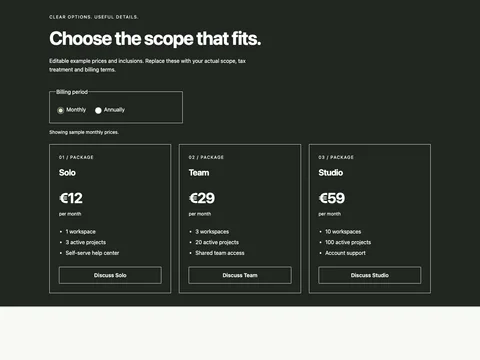
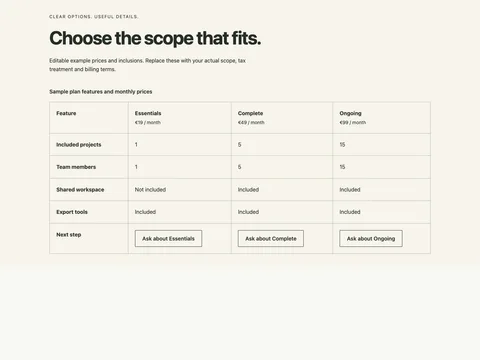
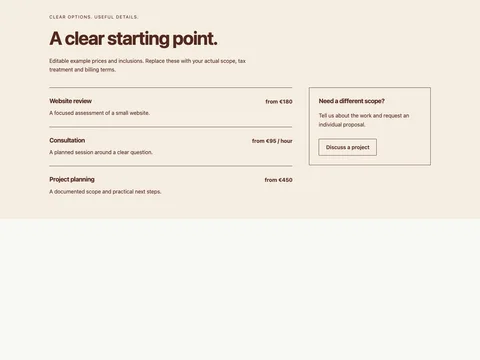
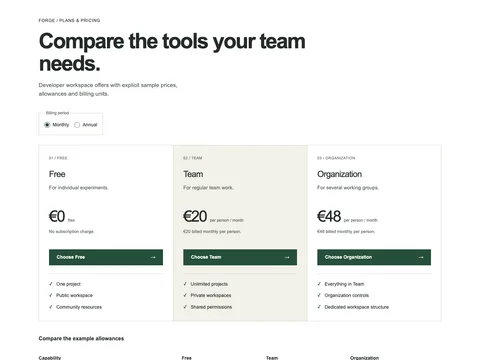
Preview links stay in the example. Copy the source to use your own destinations. Form previews never send information.
Copy the source HTML CSS JavaScript Astro
Copy HTML <section
class="fct-edition-audience-pricing"
data-snippet="edition-audience-pricing"
aria-labelledby="fct-edition-audience-pricing-title"
>
<div class="p-inner">
<header class="p-heading">
<p class="p-kicker">
<span class="p-edition-mark" aria-hidden="true">e.</span> EDITION / PUBLISHING PLANS
</p>
<h2 id="fct-edition-audience-pricing-title">A home for your next issue.</h2>
<p class="p-intro">
Choose the publishing tools you need.<br />Set your audience size to see the example rates.
</p>
</header>
<div class="p-controls">
<div class="p-audience">
<label for="fct-edition-audience-pricing-audience"
>Audience size
<output for="fct-edition-audience-pricing-audience" data-audience-label
>1,000 readers</output
></label
><input
id="fct-edition-audience-pricing-audience"
data-audience
disabled
type="range"
min="0"
max="3"
step="1"
value="0"
aria-valuetext="1,000 readers"
/>
<div class="p-range-labels" aria-hidden="true">
<span>1,000</span><span>10,000</span><span>25,000</span><span>50,000</span>
</div>
</div>
<fieldset class="p-billing" disabled>
<legend>Billing period</legend>
<label
><input
type="radio"
name="fct-edition-audience-pricing-billing"
value="monthly"
checked
/>
Monthly</label
><label
><input type="radio" name="fct-edition-audience-pricing-billing" value="annual" />
Annual</label
>
</fieldset>
</div>
<div class="p-plans">
<article class="p-tier p-tier-start">
<div class="p-tier-number" aria-hidden="true">01</div>
<h3>Start</h3>
<p class="p-tier-description">A newsletter and a simple home on the web.</p>
<p class="p-price">
<strong data-price="start">€12</strong><span data-period>per month</span>
</p>
<p class="p-billed" data-billed="start">€12 billed monthly</p>
<a class="p-button" href="signup.html?plan=start"
>Choose Start<span aria-hidden="true">→</span></a
>
<p class="p-allowance" data-allowance>For up to 1,000 readers</p>
<ul>
<li>One publication</li>
<li>One staff account</li>
<li>Email newsletter</li>
<li>Standard site layout</li>
</ul>
</article>
<article class="p-tier p-tier-publish">
<div class="p-tier-number" aria-hidden="true">02</div>
<h3>Publish</h3>
<p class="p-tier-description">More control over your publication and its design.</p>
<p class="p-price">
<strong data-price="publish">€28</strong><span data-period>per month</span>
</p>
<p class="p-billed" data-billed="publish">€28 billed monthly</p>
<a class="p-button" href="signup.html?plan=publish"
>Choose Publish<span aria-hidden="true">→</span></a
>
<p class="p-allowance" data-allowance>For up to 1,000 readers</p>
<ul>
<li>Everything in Start</li>
<li>Three staff accounts</li>
<li>Custom theme support</li>
<li>Paid-member sections</li>
</ul>
</article>
<article class="p-tier p-tier-grow">
<div class="p-tier-number" aria-hidden="true">03</div>
<h3>Grow</h3>
<p class="p-tier-description">Editorial tools for a larger publishing team.</p>
<p class="p-price">
<strong data-price="grow">€64</strong><span data-period>per month</span>
</p>
<p class="p-billed" data-billed="grow">€64 billed monthly</p>
<a class="p-button" href="signup.html?plan=grow"
>Choose Grow<span aria-hidden="true">→</span></a
>
<p class="p-allowance" data-allowance>For up to 1,000 readers</p>
<ul>
<li>Everything in Publish</li>
<li>Ten staff accounts</li>
<li>Multiple newsletters</li>
<li>Editorial access controls</li>
</ul>
</article>
</div>
<aside class="p-custom">
<div>
<h3>Beyond 50,000 readers?</h3>
<p>Discuss your audience size, sending volume and editorial requirements with the team.</p>
</div>
<a class="p-button" href="contact.html">Discuss a custom plan →</a>
</aside>
<p class="p-rate-status p-note" role="status">
Sample monthly rates for up to 1,000 readers. Prices and limits must be replaced before
publication.
</p>
<details class="p-rate-table">
<summary>View the sample rate table and calculation</summary>
<p>
Rates below are monthly examples. Annual billing uses 10 times the monthly rate, paid
upfront; the displayed monthly equivalent divides that annual total by 12.
</p>
<div class="p-table-scroll" role="region" aria-label="Sample pricing rate table" tabindex="0">
<table>
<caption>
Sample monthly price by audience size, in EUR
</caption>
<thead>
<tr>
<th scope="col">Readers</th>
<th scope="col">Start</th>
<th scope="col">Publish</th>
<th scope="col">Grow</th>
</tr>
</thead>
<tbody>
<tr>
<th scope="row">1,000</th>
<td>€12</td>
<td>€28</td>
<td>€64</td>
</tr>
<tr>
<th scope="row">10,000</th>
<td>€24</td>
<td>€48</td>
<td>€96</td>
</tr>
<tr>
<th scope="row">25,000</th>
<td>€45</td>
<td>€85</td>
<td>€160</td>
</tr>
<tr>
<th scope="row">50,000</th>
<td>€80</td>
<td>€145</td>
<td>€260</td>
</tr>
</tbody>
</table>
</div>
</details>
<noscript
><p class="p-note">
Interactive controls need JavaScript. The displayed plans show the 1,000-reader monthly
rates; open the sample rate table for all tiers.
</p></noscript
>
<div class="p-summary">
<p class="p-note">
Demonstration prices, limits and features. Taxes, delivery limits and final service terms
are not defined. No subscription or checkout is created.
</p>
<a href="contact.html">Ask a pricing question →</a>
</div>
</div>
</section>
Copy CSS .fct-edition-audience-pricing {
--ink: #192b39;
--muted: #506270;
--line: #d0dce3;
--accent: #095daa;
color: var(--ink);
background: #f1f7fa;
font:
16px/1.55 Arial,
Helvetica,
sans-serif;
}
.fct-edition-audience-pricing,
.fct-edition-audience-pricing * {
box-sizing: border-box;
}
.fct-edition-audience-pricing :is(h2, h3, h4, p, ul, dl, dd, figure) {
margin: 0;
}
.fct-edition-audience-pricing :is(h2, h3, h4) {
line-height: 1.15;
letter-spacing: -0.035em;
}
.fct-edition-audience-pricing h2 {
font-size: clamp(2rem, 4vw, 3.5rem);
}
.fct-edition-audience-pricing h3 {
font-size: 1.5rem;
}
.fct-edition-audience-pricing button,
.fct-edition-audience-pricing input,
.fct-edition-audience-pricing select {
font: inherit;
}
.fct-edition-audience-pricing a {
color: var(--accent);
text-underline-offset: 3px;
}
.fct-edition-audience-pricing :is(a, button, input, select, summary):focus-visible {
outline: 3px solid #b34100;
outline-offset: 4px;
}
.fct-edition-audience-pricing .p-inner {
max-width: 1120px;
margin: auto;
padding: 60px clamp(20px, 4vw, 60px);
}
.fct-edition-audience-pricing .p-kicker {
font-size: 0.875rem;
font-weight: 700;
margin-bottom: 16px;
letter-spacing: 0.025em;
}
.fct-edition-audience-pricing .p-intro {
max-width: 680px;
margin: 18px auto 0;
color: var(--muted);
font-size: 1.125rem;
}
.fct-edition-audience-pricing .p-button {
display: flex;
align-items: center;
justify-content: center;
gap: 12px;
min-height: 48px;
padding: 12px 20px;
border: 1px solid transparent;
border-radius: 4px;
background: var(--accent);
color: white;
text-decoration: none;
font-weight: 700;
}
.fct-edition-audience-pricing .p-note {
font-size: 0.875rem;
color: var(--muted);
}
.fct-edition-audience-pricing .p-summary {
border-top: 1px solid var(--line);
padding-top: 20px;
margin-top: 28px;
display: flex;
gap: 24px;
justify-content: space-between;
align-items: start;
}
.fct-edition-audience-pricing .p-summary p {
max-width: 65ch;
}
.fct-edition-audience-pricing .p-summary a {
display: inline-flex;
min-height: 44px;
align-items: center;
flex: none;
}
.fct-edition-audience-pricing .p-visually-hidden {
position: absolute;
width: 1px;
height: 1px;
overflow: hidden;
clip-path: inset(50%);
white-space: nowrap;
}
@media (max-width: 700px) {
.fct-edition-audience-pricing .p-inner {
padding-block: 36px;
}
.fct-edition-audience-pricing .p-summary {
flex-direction: column;
gap: 10px;
}
}
.fct-edition-audience-pricing {
--ink: #18202a;
--muted: #566170;
--accent: #167157;
--line: #dae1e7;
background: #fff;
}
.fct-edition-audience-pricing .p-inner {
max-width: 1280px;
}
.fct-edition-audience-pricing .p-heading {
margin-bottom: 40px;
}
.fct-edition-audience-pricing .p-heading .p-kicker {
display: flex;
align-items: center;
gap: 12px;
font-size: 0.75rem;
letter-spacing: 0.05em;
}
.fct-edition-audience-pricing .p-edition-mark {
display: grid;
place-items: center;
background: #18202a;
color: #fff;
width: 36px;
height: 36px;
border-radius: 7px;
font:
bold 27px/1 Georgia,
serif;
letter-spacing: -0.08em;
padding-right: 3px;
text-transform: none;
}
.fct-edition-audience-pricing h2 {
font-size: clamp(2.1rem, 4.5vw, 3.5rem);
font-weight: 700;
max-width: 750px;
}
.fct-edition-audience-pricing .p-intro {
margin-left: 0;
font-size: 1.0625rem;
}
.fct-edition-audience-pricing .p-controls {
display: flex;
align-items: end;
justify-content: space-between;
gap: 50px;
padding-bottom: 32px;
}
.fct-edition-audience-pricing .p-audience {
max-width: 540px;
flex: 1;
min-width: 0;
}
.fct-edition-audience-pricing .p-audience label {
display: flex;
align-items: center;
justify-content: space-between;
gap: 20px;
font-size: 0.875rem;
font-weight: 700;
margin-bottom: 16px;
}
.fct-edition-audience-pricing output {
color: #115a44;
}
.fct-edition-audience-pricing input[type="range"] {
display: block;
width: 100%;
height: 30px;
accent-color: #167157;
cursor: pointer;
margin: 0;
}
.fct-edition-audience-pricing .p-range-labels {
display: flex;
justify-content: space-between;
font-size: 0.75rem;
color: var(--muted);
margin-top: 6px;
}
.fct-edition-audience-pricing .p-billing {
display: flex;
gap: 16px;
border: 1px solid var(--line);
margin: 0;
padding: 9px 16px 12px;
border-radius: 5px;
flex: none;
}
.fct-edition-audience-pricing legend {
font-size: 0.75rem;
padding-inline: 5px;
color: var(--muted);
}
.fct-edition-audience-pricing .p-billing label {
display: flex;
align-items: center;
gap: 8px;
min-height: 32px;
font-size: 0.875rem;
cursor: pointer;
}
.fct-edition-audience-pricing input[type="radio"] {
width: 17px;
height: 17px;
accent-color: #167157;
margin: 0;
}
.fct-edition-audience-pricing .p-plans {
display: grid;
grid-template-columns: repeat(3, 1fr);
border: 1px solid var(--line);
border-radius: 6px;
overflow: hidden;
}
.fct-edition-audience-pricing .p-tier {
padding: 28px;
position: relative;
min-width: 0;
}
.fct-edition-audience-pricing .p-tier + .p-tier {
border-left: 1px solid var(--line);
}
.fct-edition-audience-pricing .p-tier-publish {
background: #f0f8f4;
}
.fct-edition-audience-pricing .p-tier-number {
font-size: 0.75rem;
color: var(--muted);
margin-bottom: 14px;
font-family: monospace;
}
.fct-edition-audience-pricing h3 {
font-size: 1.5rem;
}
.fct-edition-audience-pricing .p-tier-description {
margin-top: 10px;
max-width: 28ch;
color: var(--muted);
font-size: 0.9375rem;
min-height: 3.2em;
}
.fct-edition-audience-pricing .p-price {
margin-top: 28px;
display: flex;
align-items: baseline;
flex-wrap: wrap;
gap: 9px;
}
.fct-edition-audience-pricing .p-price strong {
font-size: 2.75rem;
letter-spacing: -0.055em;
line-height: 1.2;
font-weight: 700;
}
.fct-edition-audience-pricing .p-price > span {
font-size: 0.8125rem;
color: var(--muted);
}
.fct-edition-audience-pricing .p-billed {
font-size: 0.8125rem;
min-height: 2.8em;
color: var(--muted);
margin-top: 8px;
}
.fct-edition-audience-pricing .p-button {
font-size: 0.875rem;
margin: 20px 0 24px;
justify-content: space-between;
}
.fct-edition-audience-pricing .p-allowance {
font-size: 0.8125rem;
font-weight: 700;
border-top: 1px solid var(--line);
padding-top: 22px;
}
.fct-edition-audience-pricing ul {
list-style: none;
padding: 16px 0 0;
display: grid;
gap: 12px;
font-size: 0.875rem;
}
.fct-edition-audience-pricing li {
position: relative;
padding-left: 22px;
}
.fct-edition-audience-pricing li:before {
content: "✓";
position: absolute;
left: 0;
color: #167157;
font-weight: 700;
}
.fct-edition-audience-pricing .p-custom {
border: 1px solid var(--line);
border-radius: 6px;
margin-top: 18px;
padding: 24px 28px;
display: flex;
align-items: center;
justify-content: space-between;
gap: 30px;
background: #f7f9fb;
}
.fct-edition-audience-pricing .p-custom h3 {
font-size: 1.125rem;
letter-spacing: -0.02em;
}
.fct-edition-audience-pricing .p-custom p {
font-size: 0.875rem;
max-width: 65ch;
margin-top: 8px;
color: var(--muted);
}
.fct-edition-audience-pricing .p-custom .p-button {
margin: 0;
background: transparent;
color: var(--ink);
border-color: #b7c4ce;
flex: none;
}
.fct-edition-audience-pricing .p-rate-status {
margin-top: 20px;
min-height: 3em;
}
.fct-edition-audience-pricing .p-rate-table {
border-top: 1px solid var(--line);
border-bottom: 1px solid var(--line);
padding: 6px 0;
margin-top: 10px;
}
.fct-edition-audience-pricing summary {
min-height: 44px;
align-content: center;
font-size: 0.875rem;
font-weight: 700;
cursor: pointer;
}
.fct-edition-audience-pricing details > p {
font-size: 0.875rem;
color: var(--muted);
margin: 12px 0 20px;
max-width: 80ch;
}
.fct-edition-audience-pricing .p-table-scroll {
overflow: auto;
margin-bottom: 20px;
}
.fct-edition-audience-pricing table {
border-collapse: collapse;
width: 100%;
min-width: 340px;
font-size: 0.875rem;
text-align: left;
}
.fct-edition-audience-pricing caption {
text-align: left;
padding-bottom: 15px;
color: var(--muted);
}
.fct-edition-audience-pricing :is(th, td) {
border-bottom: 1px solid var(--line);
padding: 12px 15px 12px 0;
}
.fct-edition-audience-pricing th {
font-weight: 700;
}
@media (max-width: 800px) {
.fct-edition-audience-pricing .p-controls {
flex-direction: column;
align-items: stretch;
gap: 20px;
}
.fct-edition-audience-pricing .p-audience {
max-width: none;
}
.fct-edition-audience-pricing .p-billing {
width: fit-content;
}
.fct-edition-audience-pricing .p-plans {
grid-template-columns: 1fr;
}
.fct-edition-audience-pricing .p-tier + .p-tier {
border-left: 0;
border-top: 1px solid var(--line);
}
.fct-edition-audience-pricing .p-tier {
padding: 25px;
}
.fct-edition-audience-pricing .p-tier-description {
min-height: 0;
max-width: none;
}
.fct-edition-audience-pricing .p-custom {
align-items: stretch;
flex-direction: column;
padding: 25px;
gap: 20px;
}
.fct-edition-audience-pricing .p-price strong {
font-size: 2.5rem;
}
.fct-edition-audience-pricing .p-price {
margin-top: 22px;
}
}
Copy JavaScript (() => {
for (const root of document.querySelectorAll('[data-snippet="edition-audience-pricing"]')) {
if (root.dataset.initialized) continue;
root.dataset.initialized = "true";
const sizes = [1000, 10000, 25000, 50000],
rates = { start: [12, 24, 45, 80], publish: [28, 48, 85, 145], grow: [64, 96, 160, 260] },
range = root.querySelector("[data-audience]"),
number = (n) => new Intl.NumberFormat("en-IE").format(n),
money = (n) =>
new Intl.NumberFormat("en-IE", {
style: "currency",
currency: "EUR",
minimumFractionDigits: Number.isInteger(n) ? 0 : 2,
maximumFractionDigits: 2,
}).format(n);
const update = () => {
const index = Number(range.value),
audience = sizes[index],
annual = root.querySelector(".p-billing input:checked").value === "annual";
range.setAttribute("aria-valuetext", number(audience) + " readers");
root.querySelector("[data-audience-label]").textContent = number(audience) + " readers";
for (const key of Object.keys(rates)) {
const monthly = rates[key][index],
total = monthly * 10;
root.querySelector('[data-price="' + key + '"]').textContent = money(
annual ? total / 12 : monthly,
);
root.querySelector('[data-billed="' + key + '"]').textContent = annual
? money(total) + " billed annually"
: money(monthly) + " billed monthly";
}
for (const label of root.querySelectorAll("[data-period]"))
label.textContent = annual ? "monthly equivalent" : "per month";
for (const label of root.querySelectorAll("[data-allowance]"))
label.textContent = "For up to " + number(audience) + " readers";
root.querySelector("[role=status]").textContent =
"Sample " +
(annual ? "annual" : "monthly") +
" rates for up to " +
number(audience) +
" readers." +
(annual ? " Annual total is paid upfront." : "") +
" Replace prices and terms before publication.";
};
range.disabled = false;
root.querySelector(".p-billing").disabled = false;
range.addEventListener("input", update);
for (const input of root.querySelectorAll(".p-billing input"))
input.addEventListener("change", update);
update();
}
})();
Copy Astro ---
// Original pricing section. One instance per page; use unique IDs before duplicating.
---
<section
  class="fct-edition-audience-pricing"
  data-snippet="edition-audience-pricing"
  aria-labelledby="fct-edition-audience-pricing-title"
>
  <div class="p-inner">
    <header class="p-heading">
      <p class="p-kicker">
        <span class="p-edition-mark" aria-hidden="true">e.</span> EDITION / PUBLISHING PLANS
      </p>
      <h2 id="fct-edition-audience-pricing-title">A home for your next issue.</h2>
      <p class="p-intro">
        Choose the publishing tools you need.<br />Set your audience size to see the example rates.
      </p>
    </header>
    <div class="p-controls">
      <div class="p-audience">
        <label for="fct-edition-audience-pricing-audience"
          >Audience size
          <output for="fct-edition-audience-pricing-audience" data-audience-label
            >1,000 readers</output
          ></label
        ><input
          id="fct-edition-audience-pricing-audience"
          data-audience
          disabled
          type="range"
          min="0"
          max="3"
          step="1"
          value="0"
          aria-valuetext="1,000 readers"
        />
        <div class="p-range-labels" aria-hidden="true">
          <span>1,000</span><span>10,000</span><span>25,000</span><span>50,000</span>
        </div>
      </div>
      <fieldset class="p-billing" disabled>
        <legend>Billing period</legend>
        <label
          ><input
            type="radio"
            name="fct-edition-audience-pricing-billing"
            value="monthly"
            checked
          />
          Monthly</label
        ><label
          ><input type="radio" name="fct-edition-audience-pricing-billing" value="annual" />
          Annual</label
        >
      </fieldset>
    </div>
    <div class="p-plans">
      <article class="p-tier p-tier-start">
        <div class="p-tier-number" aria-hidden="true">01</div>
        <h3>Start</h3>
        <p class="p-tier-description">A newsletter and a simple home on the web.</p>
        <p class="p-price">
          <strong data-price="start">€12</strong><span data-period>per month</span>
        </p>
        <p class="p-billed" data-billed="start">€12 billed monthly</p>
        <a class="p-button" href="signup.html?plan=start"
          >Choose Start<span aria-hidden="true">→</span></a
        >
        <p class="p-allowance" data-allowance>For up to 1,000 readers</p>
        <ul>
          <li>One publication</li>
          <li>One staff account</li>
          <li>Email newsletter</li>
          <li>Standard site layout</li>
        </ul>
      </article>
      <article class="p-tier p-tier-publish">
        <div class="p-tier-number" aria-hidden="true">02</div>
        <h3>Publish</h3>
        <p class="p-tier-description">More control over your publication and its design.</p>
        <p class="p-price">
          <strong data-price="publish">€28</strong><span data-period>per month</span>
        </p>
        <p class="p-billed" data-billed="publish">€28 billed monthly</p>
        <a class="p-button" href="signup.html?plan=publish"
          >Choose Publish<span aria-hidden="true">→</span></a
        >
        <p class="p-allowance" data-allowance>For up to 1,000 readers</p>
        <ul>
          <li>Everything in Start</li>
          <li>Three staff accounts</li>
          <li>Custom theme support</li>
          <li>Paid-member sections</li>
        </ul>
      </article>
      <article class="p-tier p-tier-grow">
        <div class="p-tier-number" aria-hidden="true">03</div>
        <h3>Grow</h3>
        <p class="p-tier-description">Editorial tools for a larger publishing team.</p>
        <p class="p-price">
          <strong data-price="grow">€64</strong><span data-period>per month</span>
        </p>
        <p class="p-billed" data-billed="grow">€64 billed monthly</p>
        <a class="p-button" href="signup.html?plan=grow"
          >Choose Grow<span aria-hidden="true">→</span></a
        >
        <p class="p-allowance" data-allowance>For up to 1,000 readers</p>
        <ul>
          <li>Everything in Publish</li>
          <li>Ten staff accounts</li>
          <li>Multiple newsletters</li>
          <li>Editorial access controls</li>
        </ul>
      </article>
    </div>
    <aside class="p-custom">
      <div>
        <h3>Beyond 50,000 readers?</h3>
        <p>Discuss your audience size, sending volume and editorial requirements with the team.</p>
      </div>
      <a class="p-button" href="contact.html">Discuss a custom plan →</a>
    </aside>
    <p class="p-rate-status p-note" role="status">
      Sample monthly rates for up to 1,000 readers. Prices and limits must be replaced before
      publication.
    </p>
    <details class="p-rate-table">
      <summary>View the sample rate table and calculation</summary>
      <p>
        Rates below are monthly examples. Annual billing uses 10 times the monthly rate, paid
        upfront; the displayed monthly equivalent divides that annual total by 12.
      </p>
      <div class="p-table-scroll" role="region" aria-label="Sample pricing rate table" tabindex="0">
        <table>
          <caption>
            Sample monthly price by audience size, in EUR
          </caption>
          <thead>
            <tr>
              <th scope="col">Readers</th>
              <th scope="col">Start</th>
              <th scope="col">Publish</th>
              <th scope="col">Grow</th>
            </tr>
          </thead>
          <tbody>
            <tr>
              <th scope="row">1,000</th>
              <td>€12</td>
              <td>€28</td>
              <td>€64</td>
            </tr>
            <tr>
              <th scope="row">10,000</th>
              <td>€24</td>
              <td>€48</td>
              <td>€96</td>
            </tr>
            <tr>
              <th scope="row">25,000</th>
              <td>€45</td>
              <td>€85</td>
              <td>€160</td>
            </tr>
            <tr>
              <th scope="row">50,000</th>
              <td>€80</td>
              <td>€145</td>
              <td>€260</td>
            </tr>
          </tbody>
        </table>
      </div>
    </details>
    <noscript
      ><p class="p-note">
        Interactive controls need JavaScript. The displayed plans show the 1,000-reader monthly
        rates; open the sample rate table for all tiers.
      </p></noscript
    >
    <div class="p-summary">
      <p class="p-note">
        Demonstration prices, limits and features. Taxes, delivery limits and final service terms
        are not defined. No subscription or checkout is created.
      </p>
      <a href="contact.html">Ask a pricing question →</a>
    </div>
  </div>
</section>
<style is:global>
.fct-edition-audience-pricing {
  --ink: #192b39;
  --muted: #506270;
  --line: #d0dce3;
  --accent: #095daa;
  color: var(--ink);
  background: #f1f7fa;
  font:
    16px/1.55 Arial,
    Helvetica,
    sans-serif;
}
.fct-edition-audience-pricing,
.fct-edition-audience-pricing * {
  box-sizing: border-box;
}
.fct-edition-audience-pricing :is(h2, h3, h4, p, ul, dl, dd, figure) {
  margin: 0;
}
.fct-edition-audience-pricing :is(h2, h3, h4) {
  line-height: 1.15;
  letter-spacing: -0.035em;
}
.fct-edition-audience-pricing h2 {
  font-size: clamp(2rem, 4vw, 3.5rem);
}
.fct-edition-audience-pricing h3 {
  font-size: 1.5rem;
}
.fct-edition-audience-pricing button,
.fct-edition-audience-pricing input,
.fct-edition-audience-pricing select {
  font: inherit;
}
.fct-edition-audience-pricing a {
  color: var(--accent);
  text-underline-offset: 3px;
}
.fct-edition-audience-pricing :is(a, button, input, select, summary):focus-visible {
  outline: 3px solid #b34100;
  outline-offset: 4px;
}
.fct-edition-audience-pricing .p-inner {
  max-width: 1120px;
  margin: auto;
  padding: 60px clamp(20px, 4vw, 60px);
}
.fct-edition-audience-pricing .p-kicker {
  font-size: 0.875rem;
  font-weight: 700;
  margin-bottom: 16px;
  letter-spacing: 0.025em;
}
.fct-edition-audience-pricing .p-intro {
  max-width: 680px;
  margin: 18px auto 0;
  color: var(--muted);
  font-size: 1.125rem;
}
.fct-edition-audience-pricing .p-button {
  display: flex;
  align-items: center;
  justify-content: center;
  gap: 12px;
  min-height: 48px;
  padding: 12px 20px;
  border: 1px solid transparent;
  border-radius: 4px;
  background: var(--accent);
  color: white;
  text-decoration: none;
  font-weight: 700;
}
.fct-edition-audience-pricing .p-note {
  font-size: 0.875rem;
  color: var(--muted);
}
.fct-edition-audience-pricing .p-summary {
  border-top: 1px solid var(--line);
  padding-top: 20px;
  margin-top: 28px;
  display: flex;
  gap: 24px;
  justify-content: space-between;
  align-items: start;
}
.fct-edition-audience-pricing .p-summary p {
  max-width: 65ch;
}
.fct-edition-audience-pricing .p-summary a {
  display: inline-flex;
  min-height: 44px;
  align-items: center;
  flex: none;
}
.fct-edition-audience-pricing .p-visually-hidden {
  position: absolute;
  width: 1px;
  height: 1px;
  overflow: hidden;
  clip-path: inset(50%);
  white-space: nowrap;
}
@media (max-width: 700px) {
  .fct-edition-audience-pricing .p-inner {
    padding-block: 36px;
  }
  .fct-edition-audience-pricing .p-summary {
    flex-direction: column;
    gap: 10px;
  }
}
.fct-edition-audience-pricing {
  --ink: #18202a;
  --muted: #566170;
  --accent: #167157;
  --line: #dae1e7;
  background: #fff;
}
.fct-edition-audience-pricing .p-inner {
  max-width: 1280px;
}
.fct-edition-audience-pricing .p-heading {
  margin-bottom: 40px;
}
.fct-edition-audience-pricing .p-heading .p-kicker {
  display: flex;
  align-items: center;
  gap: 12px;
  font-size: 0.75rem;
  letter-spacing: 0.05em;
}
.fct-edition-audience-pricing .p-edition-mark {
  display: grid;
  place-items: center;
  background: #18202a;
  color: #fff;
  width: 36px;
  height: 36px;
  border-radius: 7px;
  font:
    bold 27px/1 Georgia,
    serif;
  letter-spacing: -0.08em;
  padding-right: 3px;
  text-transform: none;
}
.fct-edition-audience-pricing h2 {
  font-size: clamp(2.1rem, 4.5vw, 3.5rem);
  font-weight: 700;
  max-width: 750px;
}
.fct-edition-audience-pricing .p-intro {
  margin-left: 0;
  font-size: 1.0625rem;
}
.fct-edition-audience-pricing .p-controls {
  display: flex;
  align-items: end;
  justify-content: space-between;
  gap: 50px;
  padding-bottom: 32px;
}
.fct-edition-audience-pricing .p-audience {
  max-width: 540px;
  flex: 1;
  min-width: 0;
}
.fct-edition-audience-pricing .p-audience label {
  display: flex;
  align-items: center;
  justify-content: space-between;
  gap: 20px;
  font-size: 0.875rem;
  font-weight: 700;
  margin-bottom: 16px;
}
.fct-edition-audience-pricing output {
  color: #115a44;
}
.fct-edition-audience-pricing input[type="range"] {
  display: block;
  width: 100%;
  height: 30px;
  accent-color: #167157;
  cursor: pointer;
  margin: 0;
}
.fct-edition-audience-pricing .p-range-labels {
  display: flex;
  justify-content: space-between;
  font-size: 0.75rem;
  color: var(--muted);
  margin-top: 6px;
}
.fct-edition-audience-pricing .p-billing {
  display: flex;
  gap: 16px;
  border: 1px solid var(--line);
  margin: 0;
  padding: 9px 16px 12px;
  border-radius: 5px;
  flex: none;
}
.fct-edition-audience-pricing legend {
  font-size: 0.75rem;
  padding-inline: 5px;
  color: var(--muted);
}
.fct-edition-audience-pricing .p-billing label {
  display: flex;
  align-items: center;
  gap: 8px;
  min-height: 32px;
  font-size: 0.875rem;
  cursor: pointer;
}
.fct-edition-audience-pricing input[type="radio"] {
  width: 17px;
  height: 17px;
  accent-color: #167157;
  margin: 0;
}
.fct-edition-audience-pricing .p-plans {
  display: grid;
  grid-template-columns: repeat(3, 1fr);
  border: 1px solid var(--line);
  border-radius: 6px;
  overflow: hidden;
}
.fct-edition-audience-pricing .p-tier {
  padding: 28px;
  position: relative;
  min-width: 0;
}
.fct-edition-audience-pricing .p-tier + .p-tier {
  border-left: 1px solid var(--line);
}
.fct-edition-audience-pricing .p-tier-publish {
  background: #f0f8f4;
}
.fct-edition-audience-pricing .p-tier-number {
  font-size: 0.75rem;
  color: var(--muted);
  margin-bottom: 14px;
  font-family: monospace;
}
.fct-edition-audience-pricing h3 {
  font-size: 1.5rem;
}
.fct-edition-audience-pricing .p-tier-description {
  margin-top: 10px;
  max-width: 28ch;
  color: var(--muted);
  font-size: 0.9375rem;
  min-height: 3.2em;
}
.fct-edition-audience-pricing .p-price {
  margin-top: 28px;
  display: flex;
  align-items: baseline;
  flex-wrap: wrap;
  gap: 9px;
}
.fct-edition-audience-pricing .p-price strong {
  font-size: 2.75rem;
  letter-spacing: -0.055em;
  line-height: 1.2;
  font-weight: 700;
}
.fct-edition-audience-pricing .p-price > span {
  font-size: 0.8125rem;
  color: var(--muted);
}
.fct-edition-audience-pricing .p-billed {
  font-size: 0.8125rem;
  min-height: 2.8em;
  color: var(--muted);
  margin-top: 8px;
}
.fct-edition-audience-pricing .p-button {
  font-size: 0.875rem;
  margin: 20px 0 24px;
  justify-content: space-between;
}
.fct-edition-audience-pricing .p-allowance {
  font-size: 0.8125rem;
  font-weight: 700;
  border-top: 1px solid var(--line);
  padding-top: 22px;
}
.fct-edition-audience-pricing ul {
  list-style: none;
  padding: 16px 0 0;
  display: grid;
  gap: 12px;
  font-size: 0.875rem;
}
.fct-edition-audience-pricing li {
  position: relative;
  padding-left: 22px;
}
.fct-edition-audience-pricing li:before {
  content: "✓";
  position: absolute;
  left: 0;
  color: #167157;
  font-weight: 700;
}
.fct-edition-audience-pricing .p-custom {
  border: 1px solid var(--line);
  border-radius: 6px;
  margin-top: 18px;
  padding: 24px 28px;
  display: flex;
  align-items: center;
  justify-content: space-between;
  gap: 30px;
  background: #f7f9fb;
}
.fct-edition-audience-pricing .p-custom h3 {
  font-size: 1.125rem;
  letter-spacing: -0.02em;
}
.fct-edition-audience-pricing .p-custom p {
  font-size: 0.875rem;
  max-width: 65ch;
  margin-top: 8px;
  color: var(--muted);
}
.fct-edition-audience-pricing .p-custom .p-button {
  margin: 0;
  background: transparent;
  color: var(--ink);
  border-color: #b7c4ce;
  flex: none;
}
.fct-edition-audience-pricing .p-rate-status {
  margin-top: 20px;
  min-height: 3em;
}
.fct-edition-audience-pricing .p-rate-table {
  border-top: 1px solid var(--line);
  border-bottom: 1px solid var(--line);
  padding: 6px 0;
  margin-top: 10px;
}
.fct-edition-audience-pricing summary {
  min-height: 44px;
  align-content: center;
  font-size: 0.875rem;
  font-weight: 700;
  cursor: pointer;
}
.fct-edition-audience-pricing details > p {
  font-size: 0.875rem;
  color: var(--muted);
  margin: 12px 0 20px;
  max-width: 80ch;
}
.fct-edition-audience-pricing .p-table-scroll {
  overflow: auto;
  margin-bottom: 20px;
}
.fct-edition-audience-pricing table {
  border-collapse: collapse;
  width: 100%;
  min-width: 340px;
  font-size: 0.875rem;
  text-align: left;
}
.fct-edition-audience-pricing caption {
  text-align: left;
  padding-bottom: 15px;
  color: var(--muted);
}
.fct-edition-audience-pricing :is(th, td) {
  border-bottom: 1px solid var(--line);
  padding: 12px 15px 12px 0;
}
.fct-edition-audience-pricing th {
  font-weight: 700;
}
@media (max-width: 800px) {
  .fct-edition-audience-pricing .p-controls {
    flex-direction: column;
    align-items: stretch;
    gap: 20px;
  }
  .fct-edition-audience-pricing .p-audience {
    max-width: none;
  }
  .fct-edition-audience-pricing .p-billing {
    width: fit-content;
  }
  .fct-edition-audience-pricing .p-plans {
    grid-template-columns: 1fr;
  }
  .fct-edition-audience-pricing .p-tier + .p-tier {
    border-left: 0;
    border-top: 1px solid var(--line);
  }
  .fct-edition-audience-pricing .p-tier {
    padding: 25px;
  }
  .fct-edition-audience-pricing .p-tier-description {
    min-height: 0;
    max-width: none;
  }
  .fct-edition-audience-pricing .p-custom {
    align-items: stretch;
    flex-direction: column;
    padding: 25px;
    gap: 20px;
  }
  .fct-edition-audience-pricing .p-price strong {
    font-size: 2.5rem;
  }
  .fct-edition-audience-pricing .p-price {
    margin-top: 22px;
  }
}
</style>
<script is:inline>
(() => {
  for (const root of document.querySelectorAll('[data-snippet="edition-audience-pricing"]')) {
    if (root.dataset.initialized) continue;
    root.dataset.initialized = "true";
    const sizes = [1000, 10000, 25000, 50000],
      rates = { start: [12, 24, 45, 80], publish: [28, 48, 85, 145], grow: [64, 96, 160, 260] },
      range = root.querySelector("[data-audience]"),
      number = (n) => new Intl.NumberFormat("en-IE").format(n),
      money = (n) =>
        new Intl.NumberFormat("en-IE", {
          style: "currency",
          currency: "EUR",
          minimumFractionDigits: Number.isInteger(n) ? 0 : 2,
          maximumFractionDigits: 2,
        }).format(n);
    const update = () => {
      const index = Number(range.value),
        audience = sizes[index],
        annual = root.querySelector(".p-billing input:checked").value === "annual";
      range.setAttribute("aria-valuetext", number(audience) + " readers");
      root.querySelector("[data-audience-label]").textContent = number(audience) + " readers";
      for (const key of Object.keys(rates)) {
        const monthly = rates[key][index],
          total = monthly * 10;
        root.querySelector('[data-price="' + key + '"]').textContent = money(
          annual ? total / 12 : monthly,
        );
        root.querySelector('[data-billed="' + key + '"]').textContent = annual
          ? money(total) + " billed annually"
          : money(monthly) + " billed monthly";
      }
      for (const label of root.querySelectorAll("[data-period]"))
        label.textContent = annual ? "monthly equivalent" : "per month";
      for (const label of root.querySelectorAll("[data-allowance]"))
        label.textContent = "For up to " + number(audience) + " readers";
      root.querySelector("[role=status]").textContent =
        "Sample " +
        (annual ? "annual" : "monthly") +
        " rates for up to " +
        number(audience) +
        " readers." +
        (annual ? " Annual total is paid upfront." : "") +
        " Replace prices and terms before publication.";
    };
    range.disabled = false;
    root.querySelector(".p-billing").disabled = false;
    range.addEventListener("input", update);
    for (const input of root.querySelectorAll(".p-billing input"))
      input.addEventListener("change", update);
    update();
  }
})();
</script>
Code tabs need JavaScript. All source formats are included in the open downloads.