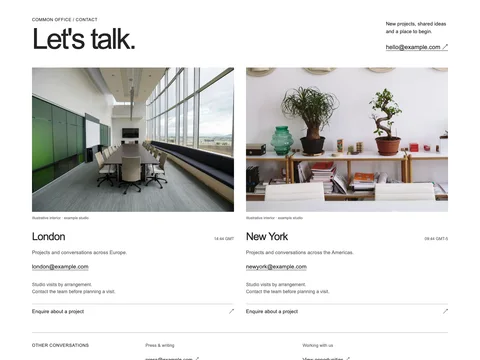
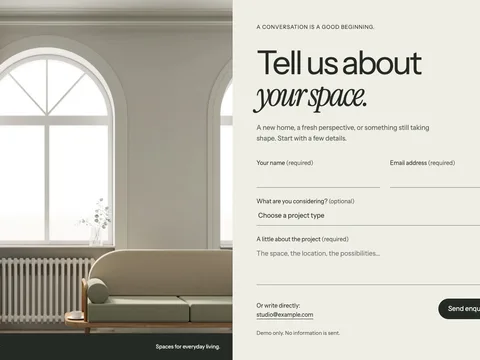
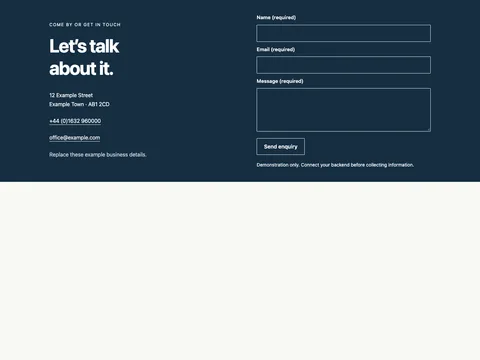
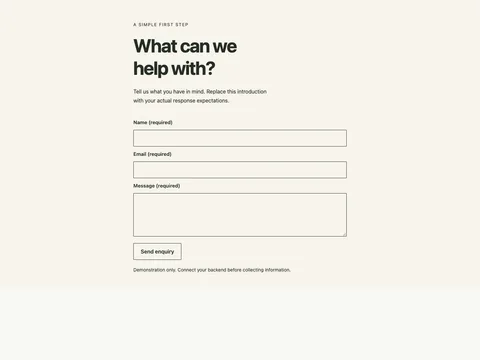
Home / Snippets / Contact sections / Civic Help contact routing section CONTACT SECTIONS / FREE HTML + ASTRO Civic Help contact routing section A contact routing section that separates your account, a local service, website help, general enquiry.
Responsive source No JavaScript dependency MIT code · version 1.0.0 Try the design Preview widthFit panel Mobile · 390 px Tablet · 768 px Desktop · 1280 px Open demo ↗
Preview links stay in the example. Copy the source to use your own destinations. Form previews never send information.
Copy the source HTML CSS Astro
Copy HTML <section
class="fct-civic-help-contact-routing x-contact-routing"
data-snippet="civic-help-contact-routing"
aria-labelledby="fct-civic-help-contact-routing-title"
>
<div class="x-wrap">
<header class="x-contact-head">
<p class="x-kicker">CIVIC HELP / CONTACT</p>
<h2 class="x-title" id="fct-civic-help-contact-routing-title">Get to the right team.</h2>
<p class="x-lead">Choose the right route for your question, idea or next project.</p>
</header>
<div class="x-contact-routes">
<article data-topic="your account">
<span class="x-route-number">01</span>
<div>
<h3>Your account</h3>
<p>Start here for questions about this part of our work.</p>
<a href="mailto:youraccount@example.com"
>Contact this team <span aria-hidden="true">↗</span></a
>
</div>
</article>
<article data-topic="a local service">
<span class="x-route-number">02</span>
<div>
<h3>A local service</h3>
<p>A direct route for information and practical next steps.</p>
<a href="mailto:alocalservice@example.com"
>Contact this team <span aria-hidden="true">↗</span></a
>
</div>
</article>
<article data-topic="website help">
<span class="x-route-number">03</span>
<div>
<h3>Website help</h3>
<p>Find the details and people relevant to your enquiry.</p>
<a href="mailto:websitehelp@example.com"
>Contact this team <span aria-hidden="true">↗</span></a
>
</div>
</article>
<article data-topic="general enquiry">
<span class="x-route-number">04</span>
<div>
<h3>General enquiry</h3>
<p>For anything that does not fit the other routes.</p>
<a href="mailto:generalenquiry@example.com"
>Contact this team <span aria-hidden="true">↗</span></a
>
</div>
</article>
</div>
<div class="x-contact-general">
<p>Not sure where to start?</p>
<a href="mailto:hello@example.com">hello@example.com ↗</a>
</div>
<p class="x-note x-sample">
Illustrative organization, topics and contact destinations. Replace with your actual
information.
</p>
</div>
</section>
Copy CSS .fct-civic-help-contact-routing {
--ink: #242b29;
--muted: #5b665f;
--line: #cbd1c9;
--paper: #f4f3ee;
--accent: #274b39;
color: var(--ink);
background: var(--paper);
font:
16px/1.55 Arial,
Helvetica,
sans-serif;
}
.fct-civic-help-contact-routing,
.fct-civic-help-contact-routing * {
box-sizing: border-box;
}
.fct-civic-help-contact-routing :is(h2, h3, h4, p, ul, dl, dd, figure) {
margin: 0;
}
.fct-civic-help-contact-routing :is(h2, h3, h4) {
line-height: 1.12;
font-weight: 400;
letter-spacing: -0.04em;
}
.fct-civic-help-contact-routing a {
color: inherit;
text-underline-offset: 4px;
}
.fct-civic-help-contact-routing :is(input, select, button, textarea) {
font: inherit;
color: inherit;
}
.fct-civic-help-contact-routing :is(a, button, input, select, textarea, summary):focus-visible {
outline: 3px solid #a44114;
outline-offset: 4px;
}
.fct-civic-help-contact-routing .x-wrap {
max-width: 1320px;
margin: auto;
padding: 52px clamp(20px, 4vw, 56px);
}
.fct-civic-help-contact-routing .x-kicker {
font-size: 0.8125rem;
letter-spacing: 0.05em;
text-transform: uppercase;
margin-bottom: 18px;
}
.fct-civic-help-contact-routing .x-title {
font-size: clamp(2.25rem, 5vw, 4rem);
line-height: 1.05;
letter-spacing: -0.05em;
}
.fct-civic-help-contact-routing .x-lead {
font-size: 1.0625rem;
color: var(--muted);
max-width: 50ch;
margin-top: 18px;
}
.fct-civic-help-contact-routing .x-note {
font-size: 0.8125rem;
color: var(--muted);
}
.fct-civic-help-contact-routing .x-button {
display: inline-flex;
justify-content: space-between;
align-items: center;
gap: 20px;
min-height: 48px;
padding: 12px 22px;
background: var(--accent);
color: white;
border: 1px solid var(--accent);
text-decoration: none;
font-weight: 700;
font-size: 0.9375rem;
cursor: pointer;
}
.fct-civic-help-contact-routing .x-link {
display: flex;
align-items: center;
justify-content: space-between;
gap: 20px;
min-height: 44px;
padding-block: 10px;
border-bottom: 1px solid currentColor;
text-decoration: none;
}
.fct-civic-help-contact-routing img {
display: block;
width: 100%;
height: auto;
}
.fct-civic-help-contact-routing [hidden] {
display: none !important;
}
.fct-civic-help-contact-routing summary {
min-height: 44px;
align-content: center;
cursor: pointer;
}
.fct-civic-help-contact-routing .x-sr {
position: absolute;
width: 1px;
height: 1px;
overflow: hidden;
clip-path: inset(50%);
white-space: nowrap;
}
@media (max-width: 700px) {
.fct-civic-help-contact-routing .x-wrap {
padding-block: 32px;
}
}
.fct-civic-help-contact-routing {
--paper: #f4f7fa;
--accent: #1f4368;
}
.fct-civic-help-contact-routing .x-contact-head {
padding-bottom: 32px;
border-bottom: 1px solid var(--line);
margin-bottom: 35px;
}
.fct-civic-help-contact-routing .x-contact-layout {
display: grid;
grid-template-columns: 0.8fr 1.2fr;
gap: 60px;
align-items: start;
}
.fct-civic-help-contact-routing .x-contact-aside {
min-width: 0;
}
.fct-civic-help-contact-routing .x-contact-aside img {
aspect-ratio: 1.2/1;
object-fit: cover;
}
.fct-civic-help-contact-routing figcaption {
font-size: 0.6875rem;
color: var(--muted);
margin-top: 10px;
}
.fct-civic-help-contact-routing .x-contact-info {
margin-top: 28px;
}
.fct-civic-help-contact-routing h3 {
font-size: 1.5rem;
letter-spacing: -0.035em;
}
.fct-civic-help-contact-routing .x-contact-info p {
font-size: 0.9375rem;
max-width: 35ch;
color: var(--muted);
margin-top: 15px;
}
.fct-civic-help-contact-routing .x-contact-info a {
display: inline-flex;
min-height: 44px;
align-items: center;
margin-top: 20px;
font-size: 1rem;
}
.fct-civic-help-contact-routing fieldset {
margin: 0;
padding: 0;
border: 0;
min-width: 0;
}
.fct-civic-help-contact-routing legend {
font-size: 0.875rem;
font-weight: 700;
padding: 0;
margin-bottom: 24px;
}
.fct-civic-help-contact-routing .x-form-grid {
display: grid;
grid-template-columns: 1fr 1fr;
gap: 24px 20px;
}
.fct-civic-help-contact-routing label {
display: grid;
gap: 9px;
font-size: 0.8125rem;
font-weight: 700;
}
.fct-civic-help-contact-routing :is(input, select, textarea) {
width: 100%;
min-width: 0;
min-height: 48px;
padding: 11px 12px;
background: white;
border: 1px solid #a9b4a6;
border-radius: 0;
font-size: 1rem;
font-weight: 400;
}
.fct-civic-help-contact-routing textarea {
resize: vertical;
min-height: 140px;
}
.fct-civic-help-contact-routing input::placeholder,
.fct-civic-help-contact-routing textarea::placeholder {
color: #65715f;
}
.fct-civic-help-contact-routing .x-field-wide {
grid-column: 1/-1;
}
.fct-civic-help-contact-routing .x-form-actions {
display: flex;
justify-content: space-between;
align-items: end;
gap: 25px;
border-top: 1px solid var(--line);
padding-top: 24px;
margin-top: 25px;
}
.fct-civic-help-contact-routing .x-form-actions p {
font-size: 0.75rem;
max-width: 38ch;
color: var(--muted);
}
.fct-civic-help-contact-routing .x-button {
flex: none;
}
.fct-civic-help-contact-routing .x-form-status {
min-height: 3em;
margin-top: 20px;
}
.fct-civic-help-contact-routing .x-sample {
border-top: 1px solid var(--line);
padding-top: 22px;
margin-top: 35px;
}
.fct-civic-help-contact-routing .x-contact-routes {
display: grid;
grid-template-columns: 1fr 1fr;
gap: 0 45px;
}
.fct-civic-help-contact-routing .x-contact-routes article {
display: flex;
gap: 25px;
padding: 28px 0;
border-top: 1px solid var(--line);
min-width: 0;
}
.fct-civic-help-contact-routing .x-route-number {
font-size: 0.75rem;
color: var(--muted);
padding-top: 5px;
flex: none;
}
.fct-civic-help-contact-routing .x-contact-routes h3 {
font-size: 1.5rem;
}
.fct-civic-help-contact-routing .x-contact-routes p {
font-size: 0.9375rem;
color: var(--muted);
max-width: 35ch;
margin-top: 12px;
}
.fct-civic-help-contact-routing .x-contact-routes a {
display: inline-flex;
align-items: center;
gap: 18px;
min-height: 44px;
margin-top: 18px;
font-size: 0.9375rem;
}
.fct-civic-help-contact-routing .x-contact-general {
display: flex;
justify-content: space-between;
gap: 20px;
align-items: center;
padding: 25px 0;
border-top: 1px solid var(--line);
margin-top: 25px;
font-size: 0.9375rem;
}
.fct-civic-help-contact-routing .x-contact-general a {
display: flex;
align-items: center;
min-height: 44px;
overflow-wrap: anywhere;
}
.fct-civic-help-contact-routing .x-direct-email {
display: grid;
gap: 18px;
padding-bottom: 35px;
margin-bottom: 30px;
border-bottom: 1px solid var(--line);
}
.fct-civic-help-contact-routing .x-direct-email span {
font-size: 0.8125rem;
color: var(--muted);
}
.fct-civic-help-contact-routing .x-direct-email a {
font:
400 clamp(1.6rem, 4.7vw, 4.4rem)/1.15 Georgia,
serif;
letter-spacing: -0.05em;
overflow-wrap: anywhere;
text-decoration: none;
}
.fct-civic-help-contact-routing .x-local-search {
max-width: 700px;
margin-bottom: 30px;
}
.fct-civic-help-contact-routing .x-local-search .x-note {
margin-top: 10px;
}
.fct-civic-help-contact-routing .x-office-cards {
display: grid;
grid-template-columns: 1fr 1fr;
gap: 40px;
}
.fct-civic-help-contact-routing .x-office-cards img {
aspect-ratio: 1.4/1;
object-fit: cover;
}
.fct-civic-help-contact-routing .x-office-cards article > div {
display: flex;
justify-content: space-between;
align-items: baseline;
gap: 20px;
margin-top: 25px;
}
.fct-civic-help-contact-routing [data-zone] {
font-size: 0.75rem;
color: var(--muted);
}
.fct-civic-help-contact-routing .x-office-cards article > a:not(.x-link) {
display: inline-flex;
align-items: center;
min-height: 44px;
margin-top: 15px;
font-size: 1.0625rem;
}
.fct-civic-help-contact-routing .x-office-cards article > p {
font-size: 0.875rem;
color: var(--muted);
margin: 20px 0;
max-width: 40ch;
}
.fct-civic-help-contact-routing .x-visit-layout {
display: grid;
grid-template-columns: 1.1fr 1fr;
gap: 55px;
align-items: start;
}
.fct-civic-help-contact-routing .x-visit-layout img {
aspect-ratio: 1.15/1;
object-fit: cover;
}
.fct-civic-help-contact-routing .x-visit-layout h3 {
font:
400 2.2rem/1.05 Georgia,
serif;
}
.fct-civic-help-contact-routing .x-visit-layout p {
font-size: 0.9375rem;
color: var(--muted);
margin: 20px 0 24px;
max-width: 40ch;
}
.fct-civic-help-contact-routing .x-visit-layout .x-button {
margin-top: 28px;
}
.fct-civic-help-contact-routing .x-contact-head {
display: grid;
grid-template-columns: 1fr 1fr;
gap: 0 60px;
}
.fct-civic-help-contact-routing .x-contact-head .x-kicker {
grid-column: 1/-1;
}
.fct-civic-help-contact-routing .x-contact-head .x-lead {
margin: 0;
align-self: end;
}
.fct-civic-help-contact-routing .x-contact-routes {
grid-template-columns: 1fr;
}
.fct-civic-help-contact-routing .x-contact-routes article > div {
display: grid;
grid-template-columns: 1fr 1.3fr auto;
align-items: baseline;
gap: 25px;
width: 100%;
}
.fct-civic-help-contact-routing .x-contact-routes p,
.fct-civic-help-contact-routing .x-contact-routes a {
margin-top: 0;
}
@media (max-width: 850px) {
.fct-civic-help-contact-routing .x-contact-routes {
grid-template-columns: 1fr 1fr;
gap: 25px;
}
.fct-civic-help-contact-routing .x-contact-routes article > div {
display: block;
}
.fct-civic-help-contact-routing .x-contact-routes p,
.fct-civic-help-contact-routing .x-contact-routes a {
margin-top: 15px;
}
.fct-civic-help-contact-routing .x-form-actions {
display: block;
}
.fct-civic-help-contact-routing .x-form-actions .x-button {
width: 100%;
margin-top: 22px;
}
}
@media (max-width: 700px) {
.fct-civic-help-contact-routing .x-contact-head,
.fct-civic-help-contact-routing .x-contact-layout,
.fct-civic-help-contact-routing .x-visit-layout {
display: block;
}
.fct-civic-help-contact-routing .x-contact-head .x-lead {
margin-top: 20px;
}
.fct-civic-help-contact-routing .x-contact-aside {
margin-bottom: 30px;
padding-left: 0;
border: 0;
}
.fct-civic-help-contact-routing .x-contact-aside figure {
margin: 0;
}
.fct-civic-help-contact-routing .x-contact-aside img {
aspect-ratio: 1.4/1;
}
.fct-civic-help-contact-routing .x-contact-routes {
grid-template-columns: 1fr;
gap: 0;
}
.fct-civic-help-contact-routing .x-contact-routes article {
padding-block: 24px;
}
.fct-civic-help-contact-routing .x-contact-routes article > div {
display: block;
}
.fct-civic-help-contact-routing .x-form-grid {
grid-template-columns: 1fr;
gap: 20px;
}
.fct-civic-help-contact-routing .x-field-wide {
grid-column: auto;
}
.fct-civic-help-contact-routing .x-contact-general {
display: block;
}
.fct-civic-help-contact-routing .x-contact-general a {
margin-top: 12px;
}
.fct-civic-help-contact-routing .x-office-cards {
grid-template-columns: 1fr;
gap: 35px;
}
.fct-civic-help-contact-routing .x-office-cards article:nth-child(2) {
padding-top: 0;
}
.fct-civic-help-contact-routing .x-visit-layout > div {
padding-top: 30px;
}
.fct-civic-help-contact-routing form {
padding: 0;
background: transparent;
}
.fct-civic-help-contact-routing .x-contact-info {
padding: 22px;
}
.fct-civic-help-contact-routing .x-direct-email a {
font-size: clamp(1.4rem, 6.2vw, 2.1rem);
}
}
Copy Astro ---
// Original reusable section. Use unique IDs, selectors and radio names before duplicating.
---
<section
  class="fct-civic-help-contact-routing x-contact-routing"
  data-snippet="civic-help-contact-routing"
  aria-labelledby="fct-civic-help-contact-routing-title"
>
  <div class="x-wrap">
    <header class="x-contact-head">
      <p class="x-kicker">CIVIC HELP / CONTACT</p>
      <h2 class="x-title" id="fct-civic-help-contact-routing-title">Get to the right team.</h2>
      <p class="x-lead">Choose the right route for your question, idea or next project.</p>
    </header>
    <div class="x-contact-routes">
      <article data-topic="your account">
        <span class="x-route-number">01</span>
        <div>
          <h3>Your account</h3>
          <p>Start here for questions about this part of our work.</p>
          <a href="mailto:youraccount@example.com"
            >Contact this team <span aria-hidden="true">↗</span></a
          >
        </div>
      </article>
      <article data-topic="a local service">
        <span class="x-route-number">02</span>
        <div>
          <h3>A local service</h3>
          <p>A direct route for information and practical next steps.</p>
          <a href="mailto:alocalservice@example.com"
            >Contact this team <span aria-hidden="true">↗</span></a
          >
        </div>
      </article>
      <article data-topic="website help">
        <span class="x-route-number">03</span>
        <div>
          <h3>Website help</h3>
          <p>Find the details and people relevant to your enquiry.</p>
          <a href="mailto:websitehelp@example.com"
            >Contact this team <span aria-hidden="true">↗</span></a
          >
        </div>
      </article>
      <article data-topic="general enquiry">
        <span class="x-route-number">04</span>
        <div>
          <h3>General enquiry</h3>
          <p>For anything that does not fit the other routes.</p>
          <a href="mailto:generalenquiry@example.com"
            >Contact this team <span aria-hidden="true">↗</span></a
          >
        </div>
      </article>
    </div>
    <div class="x-contact-general">
      <p>Not sure where to start?</p>
      <a href="mailto:hello@example.com">hello@example.com ↗</a>
    </div>
    <p class="x-note x-sample">
      Illustrative organization, topics and contact destinations. Replace with your actual
      information.
    </p>
  </div>
</section>
<style is:global>
.fct-civic-help-contact-routing {
  --ink: #242b29;
  --muted: #5b665f;
  --line: #cbd1c9;
  --paper: #f4f3ee;
  --accent: #274b39;
  color: var(--ink);
  background: var(--paper);
  font:
    16px/1.55 Arial,
    Helvetica,
    sans-serif;
}
.fct-civic-help-contact-routing,
.fct-civic-help-contact-routing * {
  box-sizing: border-box;
}
.fct-civic-help-contact-routing :is(h2, h3, h4, p, ul, dl, dd, figure) {
  margin: 0;
}
.fct-civic-help-contact-routing :is(h2, h3, h4) {
  line-height: 1.12;
  font-weight: 400;
  letter-spacing: -0.04em;
}
.fct-civic-help-contact-routing a {
  color: inherit;
  text-underline-offset: 4px;
}
.fct-civic-help-contact-routing :is(input, select, button, textarea) {
  font: inherit;
  color: inherit;
}
.fct-civic-help-contact-routing :is(a, button, input, select, textarea, summary):focus-visible {
  outline: 3px solid #a44114;
  outline-offset: 4px;
}
.fct-civic-help-contact-routing .x-wrap {
  max-width: 1320px;
  margin: auto;
  padding: 52px clamp(20px, 4vw, 56px);
}
.fct-civic-help-contact-routing .x-kicker {
  font-size: 0.8125rem;
  letter-spacing: 0.05em;
  text-transform: uppercase;
  margin-bottom: 18px;
}
.fct-civic-help-contact-routing .x-title {
  font-size: clamp(2.25rem, 5vw, 4rem);
  line-height: 1.05;
  letter-spacing: -0.05em;
}
.fct-civic-help-contact-routing .x-lead {
  font-size: 1.0625rem;
  color: var(--muted);
  max-width: 50ch;
  margin-top: 18px;
}
.fct-civic-help-contact-routing .x-note {
  font-size: 0.8125rem;
  color: var(--muted);
}
.fct-civic-help-contact-routing .x-button {
  display: inline-flex;
  justify-content: space-between;
  align-items: center;
  gap: 20px;
  min-height: 48px;
  padding: 12px 22px;
  background: var(--accent);
  color: white;
  border: 1px solid var(--accent);
  text-decoration: none;
  font-weight: 700;
  font-size: 0.9375rem;
  cursor: pointer;
}
.fct-civic-help-contact-routing .x-link {
  display: flex;
  align-items: center;
  justify-content: space-between;
  gap: 20px;
  min-height: 44px;
  padding-block: 10px;
  border-bottom: 1px solid currentColor;
  text-decoration: none;
}
.fct-civic-help-contact-routing img {
  display: block;
  width: 100%;
  height: auto;
}
.fct-civic-help-contact-routing [hidden] {
  display: none !important;
}
.fct-civic-help-contact-routing summary {
  min-height: 44px;
  align-content: center;
  cursor: pointer;
}
.fct-civic-help-contact-routing .x-sr {
  position: absolute;
  width: 1px;
  height: 1px;
  overflow: hidden;
  clip-path: inset(50%);
  white-space: nowrap;
}
@media (max-width: 700px) {
  .fct-civic-help-contact-routing .x-wrap {
    padding-block: 32px;
  }
}
.fct-civic-help-contact-routing {
  --paper: #f4f7fa;
  --accent: #1f4368;
}
.fct-civic-help-contact-routing .x-contact-head {
  padding-bottom: 32px;
  border-bottom: 1px solid var(--line);
  margin-bottom: 35px;
}
.fct-civic-help-contact-routing .x-contact-layout {
  display: grid;
  grid-template-columns: 0.8fr 1.2fr;
  gap: 60px;
  align-items: start;
}
.fct-civic-help-contact-routing .x-contact-aside {
  min-width: 0;
}
.fct-civic-help-contact-routing .x-contact-aside img {
  aspect-ratio: 1.2/1;
  object-fit: cover;
}
.fct-civic-help-contact-routing figcaption {
  font-size: 0.6875rem;
  color: var(--muted);
  margin-top: 10px;
}
.fct-civic-help-contact-routing .x-contact-info {
  margin-top: 28px;
}
.fct-civic-help-contact-routing h3 {
  font-size: 1.5rem;
  letter-spacing: -0.035em;
}
.fct-civic-help-contact-routing .x-contact-info p {
  font-size: 0.9375rem;
  max-width: 35ch;
  color: var(--muted);
  margin-top: 15px;
}
.fct-civic-help-contact-routing .x-contact-info a {
  display: inline-flex;
  min-height: 44px;
  align-items: center;
  margin-top: 20px;
  font-size: 1rem;
}
.fct-civic-help-contact-routing fieldset {
  margin: 0;
  padding: 0;
  border: 0;
  min-width: 0;
}
.fct-civic-help-contact-routing legend {
  font-size: 0.875rem;
  font-weight: 700;
  padding: 0;
  margin-bottom: 24px;
}
.fct-civic-help-contact-routing .x-form-grid {
  display: grid;
  grid-template-columns: 1fr 1fr;
  gap: 24px 20px;
}
.fct-civic-help-contact-routing label {
  display: grid;
  gap: 9px;
  font-size: 0.8125rem;
  font-weight: 700;
}
.fct-civic-help-contact-routing :is(input, select, textarea) {
  width: 100%;
  min-width: 0;
  min-height: 48px;
  padding: 11px 12px;
  background: white;
  border: 1px solid #a9b4a6;
  border-radius: 0;
  font-size: 1rem;
  font-weight: 400;
}
.fct-civic-help-contact-routing textarea {
  resize: vertical;
  min-height: 140px;
}
.fct-civic-help-contact-routing input::placeholder,
.fct-civic-help-contact-routing textarea::placeholder {
  color: #65715f;
}
.fct-civic-help-contact-routing .x-field-wide {
  grid-column: 1/-1;
}
.fct-civic-help-contact-routing .x-form-actions {
  display: flex;
  justify-content: space-between;
  align-items: end;
  gap: 25px;
  border-top: 1px solid var(--line);
  padding-top: 24px;
  margin-top: 25px;
}
.fct-civic-help-contact-routing .x-form-actions p {
  font-size: 0.75rem;
  max-width: 38ch;
  color: var(--muted);
}
.fct-civic-help-contact-routing .x-button {
  flex: none;
}
.fct-civic-help-contact-routing .x-form-status {
  min-height: 3em;
  margin-top: 20px;
}
.fct-civic-help-contact-routing .x-sample {
  border-top: 1px solid var(--line);
  padding-top: 22px;
  margin-top: 35px;
}
.fct-civic-help-contact-routing .x-contact-routes {
  display: grid;
  grid-template-columns: 1fr 1fr;
  gap: 0 45px;
}
.fct-civic-help-contact-routing .x-contact-routes article {
  display: flex;
  gap: 25px;
  padding: 28px 0;
  border-top: 1px solid var(--line);
  min-width: 0;
}
.fct-civic-help-contact-routing .x-route-number {
  font-size: 0.75rem;
  color: var(--muted);
  padding-top: 5px;
  flex: none;
}
.fct-civic-help-contact-routing .x-contact-routes h3 {
  font-size: 1.5rem;
}
.fct-civic-help-contact-routing .x-contact-routes p {
  font-size: 0.9375rem;
  color: var(--muted);
  max-width: 35ch;
  margin-top: 12px;
}
.fct-civic-help-contact-routing .x-contact-routes a {
  display: inline-flex;
  align-items: center;
  gap: 18px;
  min-height: 44px;
  margin-top: 18px;
  font-size: 0.9375rem;
}
.fct-civic-help-contact-routing .x-contact-general {
  display: flex;
  justify-content: space-between;
  gap: 20px;
  align-items: center;
  padding: 25px 0;
  border-top: 1px solid var(--line);
  margin-top: 25px;
  font-size: 0.9375rem;
}
.fct-civic-help-contact-routing .x-contact-general a {
  display: flex;
  align-items: center;
  min-height: 44px;
  overflow-wrap: anywhere;
}
.fct-civic-help-contact-routing .x-direct-email {
  display: grid;
  gap: 18px;
  padding-bottom: 35px;
  margin-bottom: 30px;
  border-bottom: 1px solid var(--line);
}
.fct-civic-help-contact-routing .x-direct-email span {
  font-size: 0.8125rem;
  color: var(--muted);
}
.fct-civic-help-contact-routing .x-direct-email a {
  font:
    400 clamp(1.6rem, 4.7vw, 4.4rem)/1.15 Georgia,
    serif;
  letter-spacing: -0.05em;
  overflow-wrap: anywhere;
  text-decoration: none;
}
.fct-civic-help-contact-routing .x-local-search {
  max-width: 700px;
  margin-bottom: 30px;
}
.fct-civic-help-contact-routing .x-local-search .x-note {
  margin-top: 10px;
}
.fct-civic-help-contact-routing .x-office-cards {
  display: grid;
  grid-template-columns: 1fr 1fr;
  gap: 40px;
}
.fct-civic-help-contact-routing .x-office-cards img {
  aspect-ratio: 1.4/1;
  object-fit: cover;
}
.fct-civic-help-contact-routing .x-office-cards article > div {
  display: flex;
  justify-content: space-between;
  align-items: baseline;
  gap: 20px;
  margin-top: 25px;
}
.fct-civic-help-contact-routing [data-zone] {
  font-size: 0.75rem;
  color: var(--muted);
}
.fct-civic-help-contact-routing .x-office-cards article > a:not(.x-link) {
  display: inline-flex;
  align-items: center;
  min-height: 44px;
  margin-top: 15px;
  font-size: 1.0625rem;
}
.fct-civic-help-contact-routing .x-office-cards article > p {
  font-size: 0.875rem;
  color: var(--muted);
  margin: 20px 0;
  max-width: 40ch;
}
.fct-civic-help-contact-routing .x-visit-layout {
  display: grid;
  grid-template-columns: 1.1fr 1fr;
  gap: 55px;
  align-items: start;
}
.fct-civic-help-contact-routing .x-visit-layout img {
  aspect-ratio: 1.15/1;
  object-fit: cover;
}
.fct-civic-help-contact-routing .x-visit-layout h3 {
  font:
    400 2.2rem/1.05 Georgia,
    serif;
}
.fct-civic-help-contact-routing .x-visit-layout p {
  font-size: 0.9375rem;
  color: var(--muted);
  margin: 20px 0 24px;
  max-width: 40ch;
}
.fct-civic-help-contact-routing .x-visit-layout .x-button {
  margin-top: 28px;
}
.fct-civic-help-contact-routing .x-contact-head {
  display: grid;
  grid-template-columns: 1fr 1fr;
  gap: 0 60px;
}
.fct-civic-help-contact-routing .x-contact-head .x-kicker {
  grid-column: 1/-1;
}
.fct-civic-help-contact-routing .x-contact-head .x-lead {
  margin: 0;
  align-self: end;
}
.fct-civic-help-contact-routing .x-contact-routes {
  grid-template-columns: 1fr;
}
.fct-civic-help-contact-routing .x-contact-routes article > div {
  display: grid;
  grid-template-columns: 1fr 1.3fr auto;
  align-items: baseline;
  gap: 25px;
  width: 100%;
}
.fct-civic-help-contact-routing .x-contact-routes p,
.fct-civic-help-contact-routing .x-contact-routes a {
  margin-top: 0;
}
@media (max-width: 850px) {
  .fct-civic-help-contact-routing .x-contact-routes {
    grid-template-columns: 1fr 1fr;
    gap: 25px;
  }
  .fct-civic-help-contact-routing .x-contact-routes article > div {
    display: block;
  }
  .fct-civic-help-contact-routing .x-contact-routes p,
  .fct-civic-help-contact-routing .x-contact-routes a {
    margin-top: 15px;
  }
  .fct-civic-help-contact-routing .x-form-actions {
    display: block;
  }
  .fct-civic-help-contact-routing .x-form-actions .x-button {
    width: 100%;
    margin-top: 22px;
  }
}
@media (max-width: 700px) {
  .fct-civic-help-contact-routing .x-contact-head,
  .fct-civic-help-contact-routing .x-contact-layout,
  .fct-civic-help-contact-routing .x-visit-layout {
    display: block;
  }
  .fct-civic-help-contact-routing .x-contact-head .x-lead {
    margin-top: 20px;
  }
  .fct-civic-help-contact-routing .x-contact-aside {
    margin-bottom: 30px;
    padding-left: 0;
    border: 0;
  }
  .fct-civic-help-contact-routing .x-contact-aside figure {
    margin: 0;
  }
  .fct-civic-help-contact-routing .x-contact-aside img {
    aspect-ratio: 1.4/1;
  }
  .fct-civic-help-contact-routing .x-contact-routes {
    grid-template-columns: 1fr;
    gap: 0;
  }
  .fct-civic-help-contact-routing .x-contact-routes article {
    padding-block: 24px;
  }
  .fct-civic-help-contact-routing .x-contact-routes article > div {
    display: block;
  }
  .fct-civic-help-contact-routing .x-form-grid {
    grid-template-columns: 1fr;
    gap: 20px;
  }
  .fct-civic-help-contact-routing .x-field-wide {
    grid-column: auto;
  }
  .fct-civic-help-contact-routing .x-contact-general {
    display: block;
  }
  .fct-civic-help-contact-routing .x-contact-general a {
    margin-top: 12px;
  }
  .fct-civic-help-contact-routing .x-office-cards {
    grid-template-columns: 1fr;
    gap: 35px;
  }
  .fct-civic-help-contact-routing .x-office-cards article:nth-child(2) {
    padding-top: 0;
  }
  .fct-civic-help-contact-routing .x-visit-layout > div {
    padding-top: 30px;
  }
  .fct-civic-help-contact-routing form {
    padding: 0;
    background: transparent;
  }
  .fct-civic-help-contact-routing .x-contact-info {
    padding: 22px;
  }
  .fct-civic-help-contact-routing .x-direct-email a {
    font-size: clamp(1.4rem, 6.2vw, 2.1rem);
  }
}
</style>
Code tabs need JavaScript. All source formats are included in the open downloads.
Where this design fits The layout routes visitors by the question they have rather than asking everyone to use one generic form. Replace the sample people, destinations and organization details with your own.
Distinct enquiry routes Clear direct contact information Readable no-JavaScript content The real-site reference GOV.UK services ↗
The reference informs service navigation and clear task grouping. This example uses original branding, copy, styling and code; it does not reproduce the reference product or its assets. Reference inspected 2 November 2026. This example has its own branding, content and code; it is not affiliated with the reference product.
What is included The HTML ZIP includes a standalone demo, reusable markup, scoped CSS, a license and setup notes. The Astro ZIP includes Snippet.astro. It can be imported into an existing Astro page or layout.
Set the right destinations Example navigation, policy and contact links must point to your actual pages. Update visible business details and telephone/email links together. Remove sections that your website does not need.
Add it to an HTML website Copy snippet.html into the relevant page section. Load snippet.css after your existing site stylesheet. The class prefix identifies this design. No JavaScript is needed for this design. Replace example content and check mobile widths, zoom, links and keyboard focus in your actual website. Use it in Astro Copy Snippet.astro into src/components/, import it into your page or shared layout, and insert the component where the section belongs. Keep each generated prefix unique if you duplicate a component on one page.
Keep the section maintainable Start with the variables at the top of the CSS for background, text and accent colors. Preserve semantic labels and focus styles. Existing site selectors can still affect imported markup, so test the combined result. Read the complete setup notes .